
Tools mentioned in this article
Open the browser-based tool while you read and try the workflow immediately.
API JSON keys use snake_case, TypeScript variables use camelCase, CSS classes and URLs use kebab-case, environment variables use CONSTANT_CASE — several naming conventions always coexist in real projects. The Case Converter takes one identifier and shows it converted into all nine naming styles simultaneously, entirely in your browser.
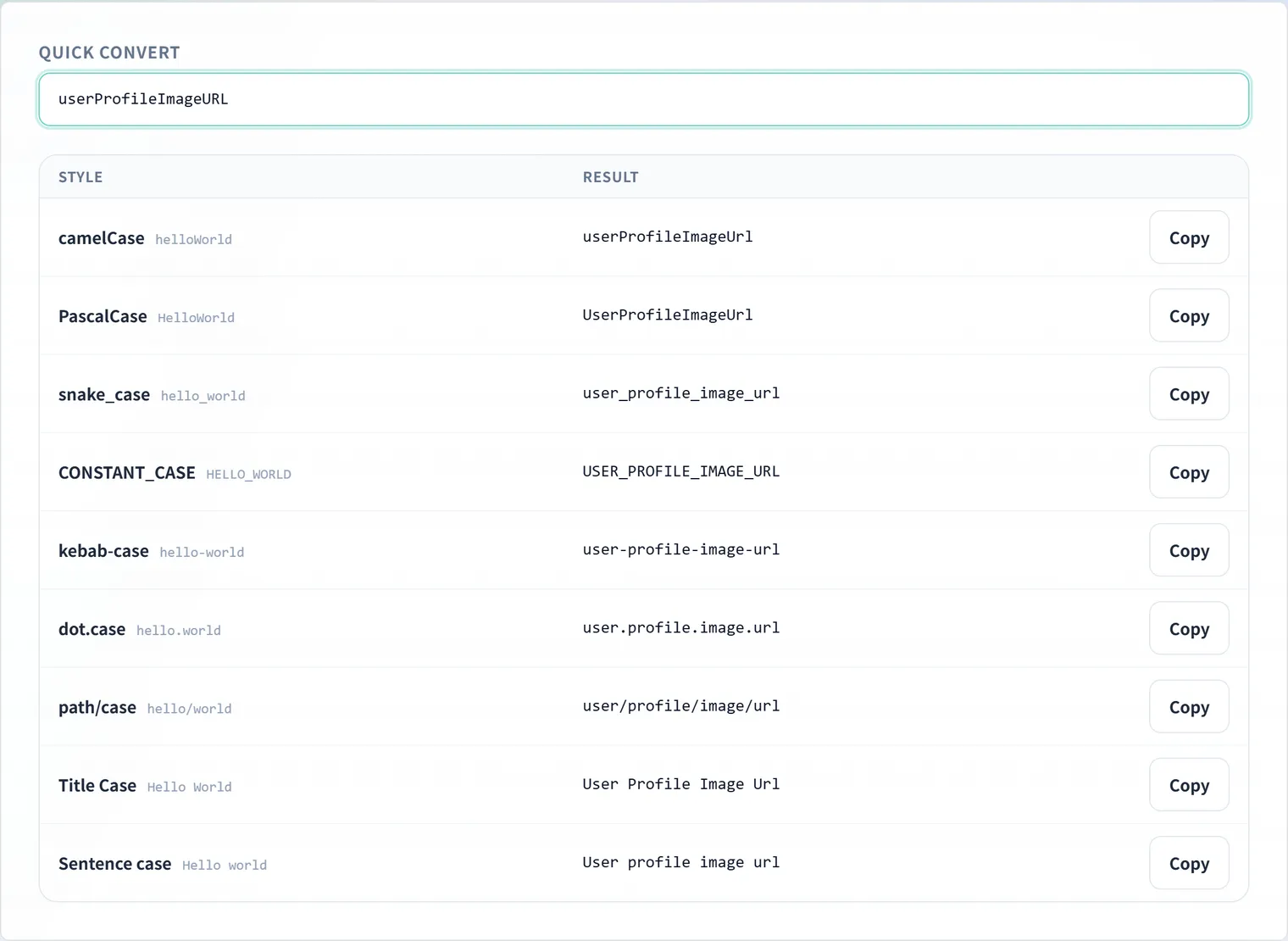
The nine supported styles
| Style | Example | Typical use |
|---|---|---|
| camelCase | helloWorld | JavaScript/TypeScript variables & functions |
| PascalCase | HelloWorld | Class names, types, React components |
| snake_case | hello_world | Python variables, DB columns, API JSON keys |
| CONSTANT_CASE | HELLO_WORLD | Constants, environment variables |
| kebab-case | hello-world | CSS classes, URL slugs, file names |
| dot.case | hello.world | Config keys, property paths |
| path/case | hello/world | File paths, routes |
| Title Case | Hello World | Headings, document titles |
| Sentence case | Hello world | UI copy, descriptions |
Two modes
Quick convert: one identifier, nine styles
Type an identifier and all nine conversions render in real time. “What should this API response key be called on the TypeScript side?” becomes a one-glance answer, with one-click copy on every result.
Bulk convert: a whole list into one style
Paste a multi-line list, pick the target style, and every line converts at once. Blank lines are preserved, so the output stays line-aligned with whatever you pasted — handy for turning a list of DB column names into TypeScript property names, or a constants list into environment variable names.
Smart word-boundary detection
Rather than doing naive replacement, the converter tokenizes the input into words first, then rebuilds in the target style. That makes the tricky cases come out right:
- Acronym runs:
HTTPServerError→http_server_error.HTTPis recognized as one word - Digits:
base64Encode→base64_encode. Digits stay attached to their neighboring word instead of splitting off - Mixed separators: input like
user-profile_imageURL— hyphens, underscores and camel boundaries mixed together — is decomposed into words and reassembled cleanly
Your input never leaves the browser
All conversion happens in browser JavaScript; nothing you type is sent to a server. Internal API field names and unreleased schema details are safe to paste.
FAQ
How are acronym runs like HTTP or URL handled?
HTTPServer is recognized as the two words http and server. Consecutive capitals split just before the final “capital + lowercase” pair, so XMLHttpRequest decomposes correctly into xml / http / request.
How are identifiers containing digits converted?
Digits are treated as part of the adjacent word. base64Encode becomes the two words base64 and encode — base64_encode in snake_case. Digits never split off into a word of their own.
Can I convert multiple lines at once?
Yes — paste a list into bulk mode and pick the target style. Blank lines are preserved as-is, so the line correspondence with your source list is never lost.
Is anything I type sent anywhere?
No. Conversion runs entirely in your browser; your input is never transmitted to a server.