
Tools mentioned in this article
Open the browser-based tool while you read and try the workflow immediately.
Are You Maintaining Your Infrastructure Diagrams?
“Where is the latest version of the architecture diagram?”
When a new member joins your team and asks that question, how many development sites can confidently present a file? In many projects, draw.io or PowerPoint diagrams created during the initial design phase are left abandoned and outdated.
The reason is simple: “It’s a hassle to fix.”
Manually reconnecting lines, adjusting layouts, and exporting as an image in a browser—the cost is simply too high in modern development where infrastructure changes frequently.
Creating Diagrams “Like Writing Code”
If we can manage diagrams as text-based assets, just like we manage code with Git, the freshness of our documentation will improve dramatically. That’s why we should look to Mermaid.js.
You simply define the connections in text, and the browser automatically renders the diagram with an optimal layout. There’s no reason not to use this “magical” system.
graph TD
    Internet["Internet"] --> LB["Load Balancer"]
    LB --> WebServer["Web Server"]
    WebServer --> DB[("Database")]
A “Visual Editor” to Avoid Struggling with Tools
That said, memorizing and hand-writing all of Mermaid’s syntax is also quite a task. You want to focus on “thinking about the infrastructure configuration,” not getting stuck on “Mermaid syntax errors.”
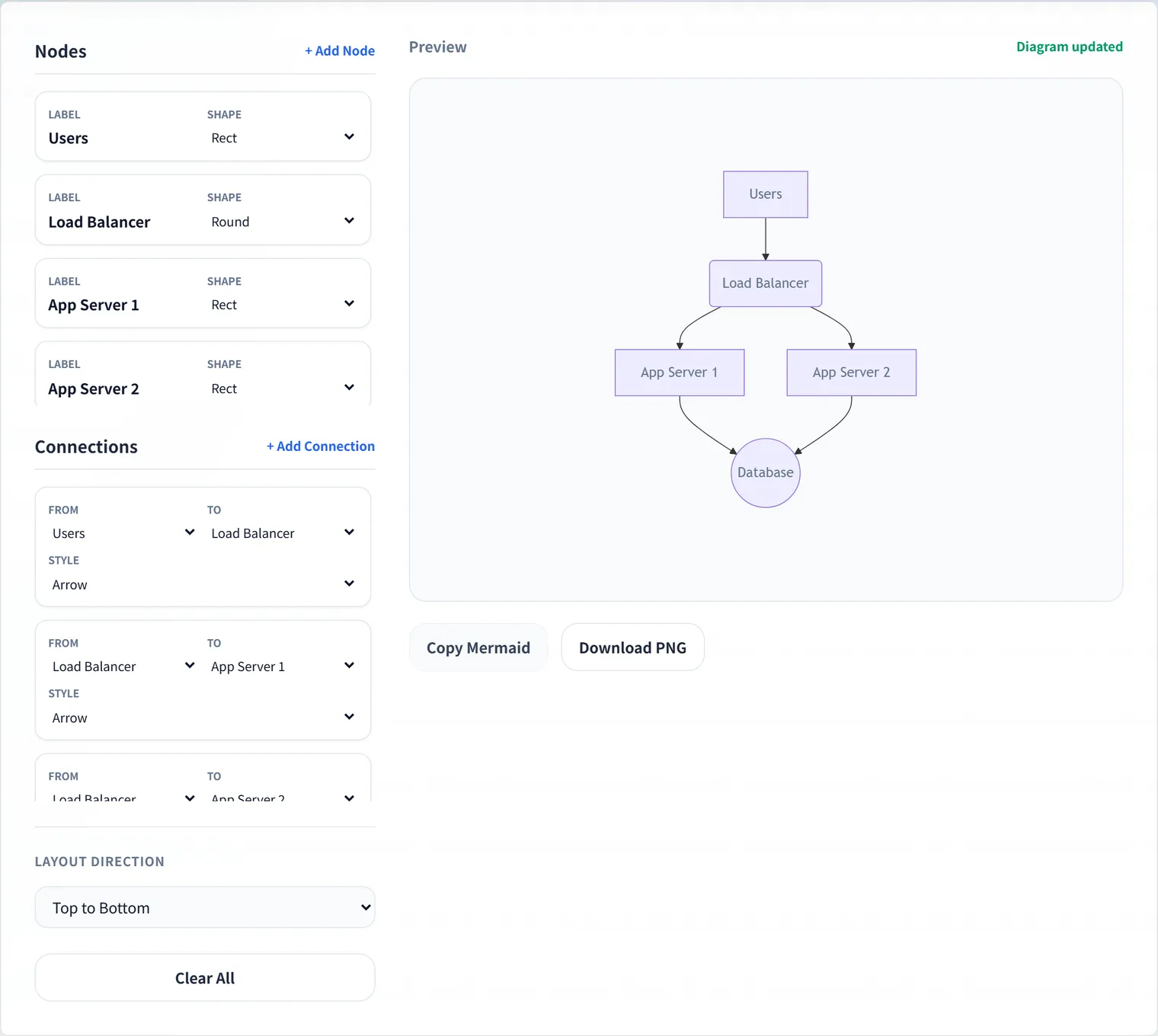
DevToolKits’ Infrastructure Diagram Builder was designed to give you the best of both worlds.
Build Intuitively, Export Smartly
- Place Nodes: Add components like servers or databases from the UI.
- Connect Lines: Simply choose which node communicates with which.
- Copy Mermaid: The finished diagram can be copied directly as code.
Paste the output Mermaid code into a GitHub README or Notion, and it becomes your “always up-to-date diagram.” When a fix is needed, just change a line of code. This agility is how true “documentation” should be.
Conclusion
Infrastructure diagrams are not “Art” that you finish once. They are “Living things” that continue to change shape as your system grows.
Graduate from “point-and-click work” and move more lightly and accurately.
Visualize your designs with the power of text and keep your team’s common understanding updated constantly.
💡 A Handy Use Case: When submitting a Pull Request on GitHub, try updating the Mermaid code along with your infrastructure changes. This way, the configuration changes can be reviewed right along with the code, preventing documentation from becoming obsolete.
Frequently Asked Questions
Where can I use the Mermaid diagrams?
Many services that support Mermaid—GitHub READMEs and issues/PRs, GitLab, Notion, and more—render it as a diagram when you paste it as a code block. Unlike images, it’s text you can manage in Git, so it lives in your diffs and keeps a change history.
What’s the advantage over draw.io or PowerPoint?
GUI tools let you fine-tune the look, but editing and re-exporting is a chore, so diagrams tend to go stale. Mermaid updates the diagram by changing a single line of text and can be version-controlled in Git, making it easy to keep in sync with configuration changes and “always current.”
Is the configuration I enter sent anywhere?
The Infrastructure Diagram Builder processes everything in your browser and never sends your configuration or Mermaid code to a server, so you can safely diagram sensitive details like internal system architecture.