
Tools mentioned in this article
Open the browser-based tool while you read and try the workflow immediately.
Why JWT Security Deserves Careful Attention
JWT is one of the most widely misimplemented security mechanisms in web development. The libraries make it easy to get something working — tokens issue, tokens verify, everything seems fine. The problems appear later: in a security audit, during an incident, or when an attacker exploits a subtle misconfiguration.
This guide covers the known attack vectors, how key distribution via JWKS works, and a practical checklist for production deployments.
Quick Recap: What a JWT Is
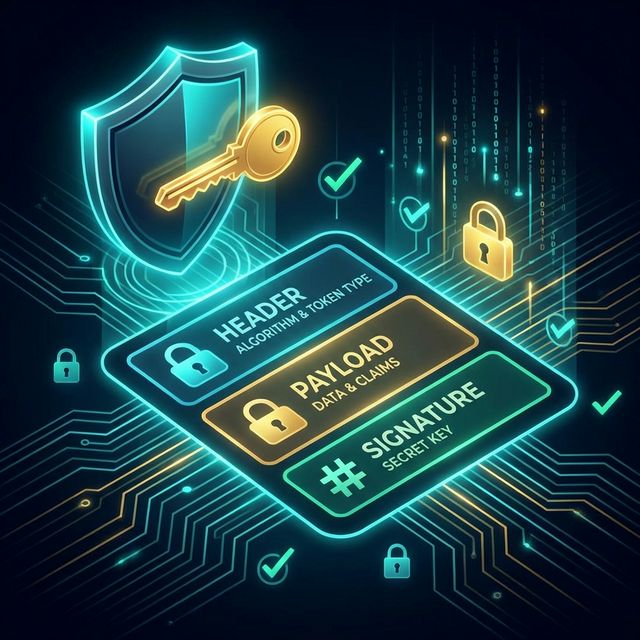
A JWT (JSON Web Token) consists of three Base64Url-encoded parts separated by dots:
header.payload.signature- Header: Specifies the algorithm (
alg) and token type. - Payload: Contains claims — data about the subject and metadata.
- Signature: Cryptographic proof that the header and payload were not tampered with.
The payload is encoded, not encrypted. Anyone who intercepts a JWT can read the payload. The signature only proves integrity; it does not provide confidentiality.
Attack Vector 1: The alg: none Attack
The JWT specification originally allowed an algorithm value of "none", meaning the token carries no signature. Some early implementations accepted this without checking whether the key was present, allowing attackers to forge tokens with arbitrary payloads.
Attack scenario:
- Attacker intercepts a legitimate JWT.
- Attacker decodes the header and payload (Base64Url decode — no key needed).
- Attacker modifies the payload:
"role": "admin". - Attacker re-encodes with
"alg": "none"and sends an empty signature segment. - Vulnerable server accepts the token.
Defense:
// jose library — explicit algorithm allowlist
import * as jose from 'jose';

const { payload } = await jose.jwtVerify(token, secret, {
  algorithms: ['HS256'],  // never include 'none'
});
Never rely on the algorithm specified in the token itself to determine which algorithm to use for verification. The algorithm must be enforced server-side.
Attack Vector 2: Algorithm Confusion (RS256 → HS256)
Asymmetric JWT uses a private key for signing and a public key for verification. Some vulnerable implementations determine the verification algorithm by reading the alg field in the JWT header — the field that the attacker controls.
Attack scenario (public-key servers):
- Server normally uses RS256. It signs with a private key, and clients verify with the public key.
- Attacker knows the server’s public key (it is public, after all).
- Attacker creates a JWT with
"alg": "HS256". - Attacker signs the JWT using HMAC-SHA256 with the public key as the secret.
- Vulnerable server reads
alg: HS256from the header, switches to HMAC verification, and uses the public key as the HMAC secret — unwittingly verifying the attacker’s forged token.
Defense: Hard-code the expected algorithm on the server. Never trust the alg claim to select the verification method:
// Explicitly require RS256 — ignores the alg claim in the token
import * as jose from 'jose';
const publicKey = await jose.importSPKI(publicKeyPem, 'RS256');
const { payload } = await jose.jwtVerify(token, publicKey, {
  algorithms: ['RS256'],
});
Attack Vector 3: Weak or Exposed Secrets
For HS256 (symmetric HMAC), the same secret is used for signing and verification. If this secret is:
- Short (under 32 bytes)
- Predictable (e.g., the word “secret”)
- Hardcoded in source code that is publicly visible
…an attacker can brute-force or guess it. Once they have the secret, they can forge any JWT they want.
Defense:
- Use a minimum of 256-bit (32 bytes) cryptographically random secret.
- Store secrets in environment variables or a secrets manager (AWS Secrets Manager, HashiCorp Vault).
- Never commit secrets to version control.
# Generate a strong secret (Linux/Mac)
openssl rand -base64 32
# → "K8aJz3mP9xQrTvN2wY5oHiE7uLbCdF1s"
Attack Vector 4: Missing Claim Validation
Issuing and verifying the signature is not enough. A valid signature does not mean the token should be accepted for this request:
| Claim | Attack if not validated |
|---|---|
exp | Expired tokens accepted indefinitely |
nbf | Token accepted before its intended activation time |
iss | Token issued by a different service accepted |
aud | Token intended for Service A accepted by Service B |
Defense — validate all relevant claims:
const { payload } = await jose.jwtVerify(token, secret, {
  issuer: 'https://auth.example.com',
  audience: 'https://api.example.com',
  // exp and nbf are validated automatically by jose
});
Key Management with JWKS
For production systems — especially those with multiple services or third-party integrations — symmetric shared secrets become unmanageable. Every service that needs to verify tokens must know the secret, creating a large attack surface.
JWKS (JSON Web Key Set) solves this with asymmetric cryptography:
- The Authorization Server generates a key pair (private + public).
- The private key stays on the Authorization Server and is used to sign JWTs.
- The public key is published at a well-known URL — the JWKS endpoint — in a standardized JSON format.
- Any service can verify JWTs by fetching the public key from the JWKS endpoint.
The header of the JWT includes a kid (Key ID) claim, telling the verifier which key in the JWKS to use:
{
  "alg": "RS256",
  "typ": "JWT",
  "kid": "2026-01-key"
}
A JWKS document looks like this:
{
  "keys": [
    {
      "kty": "RSA",
      "use": "sig",
      "alg": "RS256",
      "kid": "2026-01-key",
      "n": "0vx7agoebGcQSuuPiLJXZptN...",
      "e": "AQAB"
    }
  ]
}
Benefits of JWKS:
- Key rotation: Add a new key, wait for old tokens to expire, then remove the old key — no service restarts or secret distribution needed.
- Zero secret sharing: Services only need the public key. Compromise of a verification service does not compromise signing capability.
- Multi-issuer support: Verify tokens from multiple providers (e.g., Auth0, Okta, your own service) by checking multiple JWKS endpoints.
Fetching and caching JWKS:
import * as jose from 'jose';

// jose's JWKS client caches keys and refreshes on unknown kid
const JWKS = jose.createRemoteJWKSet(
  new URL('https://auth.example.com/.well-known/jwks.json')
);

const { payload } = await jose.jwtVerify(token, JWKS, {
  issuer: 'https://auth.example.com',
  audience: 'https://api.example.com',
});
Token Revocation Strategies
JWTs are stateless — once issued, they are valid until expiry. This creates a challenge: what if you need to invalidate a token immediately (e.g., after a logout, password change, or account compromise)?
Strategy 1: Short Expiry + Refresh Tokens
- Access tokens expire in 15–60 minutes.
- Refresh tokens (stored as
HttpOnlycookies) last 7–30 days. - Revocation only needs to happen at the refresh token level.
Strategy 2: Token Blocklist
Store revoked jti (JWT ID) claims in a fast store (Redis) with a TTL matching the token’s expiry:
// On logout
await redis.set(`blocklist:${payload.jti}`, '1', { EX: remainingSeconds });

// On each request, check before trusting the token
const isRevoked = await redis.exists(`blocklist:${payload.jti}`);
if (isRevoked) throw new Error('Token has been revoked');
Strategy 3: Short-Lived Signing Keys
Generate a new signing key every hour. Keep only the last N keys in the JWKS endpoint. Old tokens signed with expired keys are automatically rejected. No blocklist needed, but key rotation infrastructure is required.
Secure Storage on the Client
Where the client stores the JWT determines its vulnerability surface:
| Storage | XSS risk | CSRF risk | Recommendation |
|---|---|---|---|
localStorage | High | None | Avoid for tokens |
sessionStorage | High | None | Avoid for tokens |
| JavaScript variable | Medium | None | OK for short-term in-memory |
HttpOnly cookie | None | Yes (mitigate with SameSite) | Recommended |
The safest approach for web applications: store the access token in memory (JavaScript variable) and the refresh token in an HttpOnly, Secure, SameSite=Strict cookie.
Production Security Checklist
- Signing secret is at least 256 bits and randomly generated
- Secret is stored in environment variables or secrets manager, not code
-
algis explicitly specified server-side — not read from the token header -
alg: noneis never accepted -
expclaim is set (recommended: 15–60 minutes for access tokens) -
issandaudclaims are validated on every request -
jticlaims are included for tokens that may need revocation - HTTPS is enforced on all endpoints that issue or verify tokens
- Refresh tokens are stored in
HttpOnlycookies, notlocalStorage - JWKS endpoint is used for asymmetric key distribution (for multi-service systems)
- Key rotation process is documented and tested
FAQ
Should I use HS256 or RS256?
HS256 (symmetric): Simple to implement, suitable for single-service systems where one service both issues and verifies tokens. Key must be kept secret everywhere it is used.
RS256 (asymmetric): Recommended for multi-service architectures. The private key is held by the authorization server only. All other services use the public key (via JWKS) for verification. More complex setup, but significantly better security posture.
How do I handle key rotation without downtime?
Publish both the new and old public keys in the JWKS endpoint simultaneously. Sign new tokens with the new key (using a new kid). Old tokens signed with the old key will still verify against the old public key in the JWKS. Once all old tokens have expired, remove the old key from the JWKS.
Is there such a thing as JWT encryption?
Yes — JWE (JSON Web Encryption) encrypts the payload so its contents are unreadable without the decryption key. Standard JWT (JWS) signs but does not encrypt — the payload is readable by anyone. Use JWE only when the payload itself must remain confidential in transit.
Can the same JWT be used for authentication and authorization?
It is common to include both in the payload — the sub claim identifies the user (authentication), while custom claims like role or scope control what they can do (authorization). Be mindful of token size and avoid including large amounts of authorization data that changes frequently.