
Tools mentioned in this article
Open the browser-based tool while you read and try the workflow immediately.
What Is a JWT?
If you have built any modern web application that handles authentication, you have almost certainly dealt with a JSON Web Token, commonly abbreviated as JWT (pronounced “jot”). A JWT is a compact, URL-safe way to represent a set of claims between two parties. It is defined by RFC 7519 and has become the de facto standard for stateless authentication in REST APIs.
The key word here is stateless. Unlike traditional session-based authentication, where the server stores session data in memory or a database, JWTs carry all necessary information inside the token itself. The server does not need to look anything up — it simply verifies the signature and trusts the contents.
A raw JWT looks like this:
eyJhbGciOiJIUzI1NiIsInR5cCI6IkpXVCJ9.eyJzdWIiOiJ1c2VyXzEyMyIsInJvbGUiOiJhZG1pbiIsImV4cCI6MTczNjkwMDgwMH0.Xe4kJl7YQoLPkZ3r9Vv2mHgGqNtWbF8sDcA1eRfuBykThree Base64Url-encoded segments, separated by dots. Each segment has a specific purpose.
The Three-Part Structure
1. Header
The header is a JSON object that describes the token itself — primarily which algorithm was used to sign it.
{
  "alg": "HS256",
  "typ": "JWT"
}
alg specifies the signing algorithm. Common values include:
| Algorithm | Type | Notes |
|---|---|---|
HS256 | Symmetric (HMAC-SHA256) | One shared secret for both signing and verification |
RS256 | Asymmetric (RSA-SHA256) | Private key signs, public key verifies |
ES256 | Asymmetric (ECDSA-SHA256) | Smaller keys than RSA, increasingly popular |
none | No signature | Dangerous — never accept this in production |
2. Payload
The payload is where the actual data lives. Each piece of data is called a claim.
{
  "sub": "user_123",
  "name": "Alex Chen",
  "role": "admin",
  "iat": 1736814400,
  "exp": 1736900800
}
Claims come in three categories:
Registered claims (standardized by RFC 7519):
iss(Issuer) — who issued the token, e.g.,"https://auth.example.com"sub(Subject) — the principal the token is about, typically a user IDaud(Audience) — who this token is intended forexp(Expiration Time) — Unix timestamp after which the token must be rejectediat(Issued At) — Unix timestamp when the token was creatednbf(Not Before) — Unix timestamp before which the token must not be accepted
Public claims — defined in the IANA JWT Claims registry or using a URI namespace to avoid collisions.
Private claims — custom claims agreed upon between the parties, like role or plan in the example above.
Critical reminder: The payload is only encoded, not encrypted. Anyone with the token can read the payload by Base64-decoding it. Never store passwords, credit card numbers, or other sensitive data in a JWT payload.
3. Signature
The signature is computed like this (using HS256 as an example):
HMAC-SHA256(
  base64UrlEncode(header) + "." + base64UrlEncode(payload),
  secretKey
)
The signature is what makes JWTs tamper-evident. If anyone modifies even a single character in the header or payload, the signature will no longer match, and the token will be rejected. The server does not need to store the token anywhere — it simply recomputes the expected signature and checks it against what was provided.
How JWT Authentication Works in Practice
Here is a typical flow:
- Login — The user sends credentials (username + password) to the authentication endpoint.
- Token issuance — The server verifies the credentials, creates a JWT signed with a secret or private key, and returns it to the client.
- Subsequent requests — The client includes the JWT in the
Authorizationheader:Authorization: Bearer <token>. - Verification — The server validates the signature, checks
exp, and reads the claims — all without any database lookup.
// Server-side verification example (Node.js with the jose library)
import * as jose from 'jose';

async function verifyRequest(authHeader) {
  const token = authHeader?.split(' ')[1];
  if (!token) throw new Error('No token provided');

  const secret = new TextEncoder().encode(process.env.JWT_SECRET);
  const { payload } = await jose.jwtVerify(token, secret, {
    issuer: 'https://auth.example.com',
    audience: 'https://api.example.com',
  });

  return payload; // { sub, role, exp, ... }
}
JWT vs. Session Tokens
Both approaches are valid. Choosing the right one depends on your architecture.
| Aspect | JWT (Stateless) | Session Token (Stateful) |
|---|---|---|
| Server storage | None required | Session store (Redis, DB) |
| Revocation | Difficult — must wait for expiry or maintain a blocklist | Easy — delete from store |
| Horizontal scaling | Natural — any server can verify | Requires shared session store |
| Token size | Larger (carries claims) | Small (just an ID) |
| Best for | Microservices, APIs, mobile | Traditional web apps |
Common Security Pitfalls
The alg: none Attack
Some early JWT libraries allowed alg: none, meaning no signature is required. An attacker could strip the signature and craft an arbitrary payload. Always explicitly specify which algorithms your server accepts and reject none.
// jose: safe by default — must provide a key, rejects unsigned tokens
await jose.jwtVerify(token, secret); // will throw if alg is "none"
Algorithm Confusion (RS256 → HS256)
If a server expects RS256 (asymmetric) but an attacker changes the header to HS256 (symmetric), some libraries will use the public key as the HMAC secret. Since public keys are, well, public, the attacker can forge valid tokens. Fix: lock down which algorithms you accept on the server side.
Storing JWTs in localStorage
Tokens stored in localStorage are accessible to any JavaScript on the page, making them vulnerable to XSS attacks. Prefer HttpOnly cookies, which are inaccessible to JavaScript.
Long-lived Tokens Without Refresh
Setting exp to a week or a month is tempting, but it means a stolen token stays valid for a long time. Use short-lived access tokens (15–60 minutes) paired with long-lived refresh tokens stored securely.
How to Decode a JWT Manually
Because the payload is just Base64Url-encoded, you can decode it without any library:
function decodeJWT(token) {
  const parts = token.split('.');
  if (parts.length !== 3) return null;

  // Base64Url → Base64 → decode
  const decode = (str) =>
    JSON.parse(atob(str.replace(/-/g, '+').replace(/_/g, '/')));

  return {
    header:  decode(parts[0]),
    payload: decode(parts[1]),
    // Note: signature (parts[2]) cannot be verified without the secret/public key
  };
}

const { header, payload } = decodeJWT('eyJhbGci...');
console.log(payload.exp); // 1736900800
This works perfectly for debugging. But remember: decoding is not the same as verification. Always verify the signature on the server before trusting any claim.
Secure Debugging in the Browser
When debugging tokens from a production environment, you face a dilemma: you need to see what’s inside, but pasting a real user’s JWT into a third-party online tool is a security risk. Those tokens can contain user IDs, roles, and other sensitive metadata.
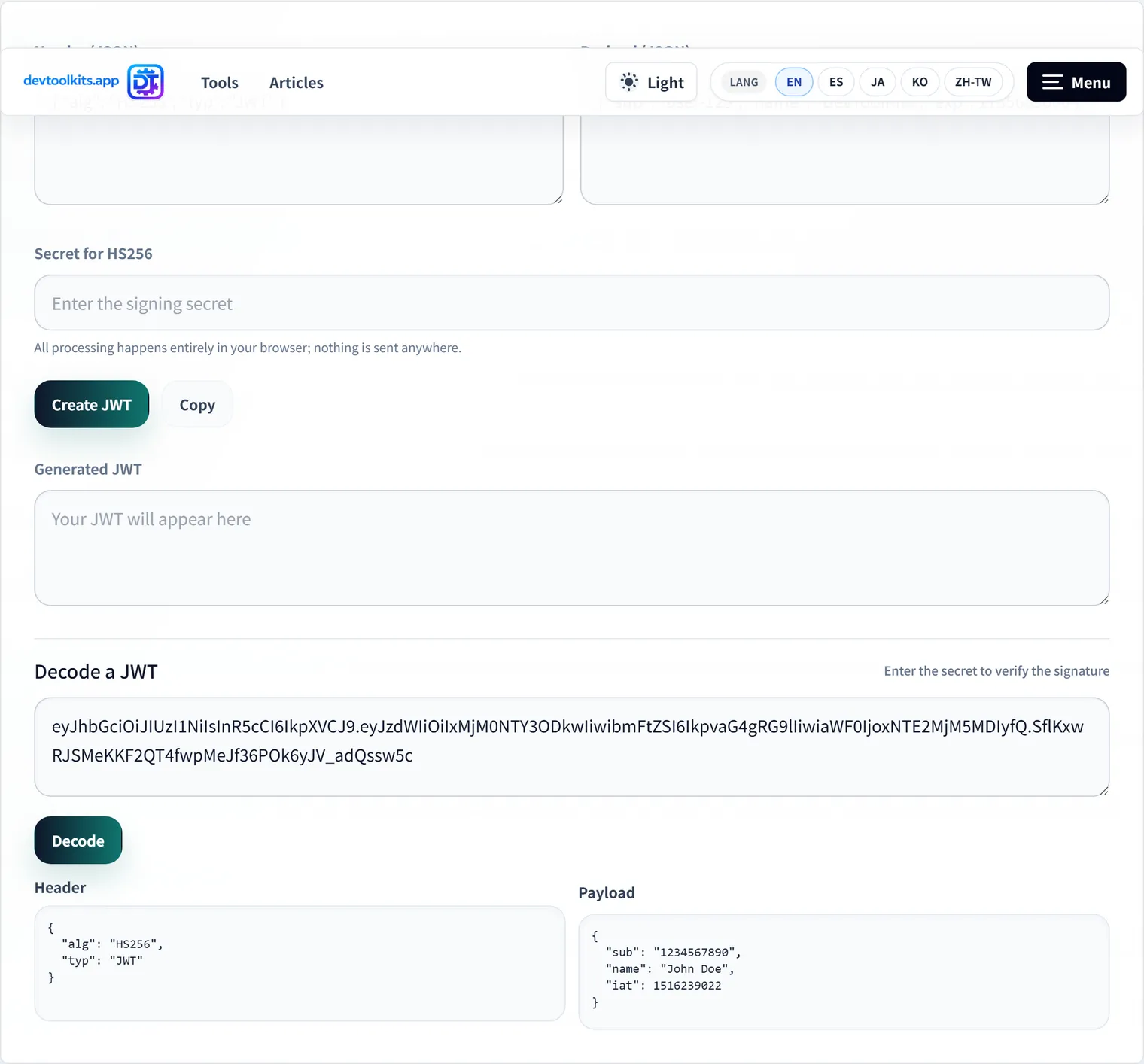
The JWT Debugger on DevToolKits processes your token entirely within your browser. Nothing is sent to a server — you can verify this yourself by opening the browser’s Network tab and watching for zero outbound requests when you paste a token. You can also verify signatures client-side by providing your secret or public key.
FAQ
What is the maximum size of a JWT?
There is no hard size limit in the JWT specification, but practical constraints exist. HTTP headers have limits (typically 8 KB per header), and browsers limit cookie sizes (around 4 KB). Keep your payload lean: include only the claims you actually need to read on the receiving side.
Can a JWT be invalidated before it expires?
Not natively — that is one of the trade-offs of stateless tokens. Common workarounds include: (1) maintaining a server-side blocklist of revoked token IDs (stored in the jti claim), (2) using very short expiration times, or (3) rotating signing keys and keeping a short acceptance window for old keys.
Is JWT encryption (JWE) different from JWT signing (JWS)?
Yes. A regular JWT is a JWS (JSON Web Signature) — the payload is readable but tamper-evident. A JWE (JSON Web Encryption) encrypts the payload so its contents cannot be read without the decryption key. JWS is far more common; use JWE only when the payload itself contains data that must not be visible in transit.
Should the JWT secret be the same across all services?
No. Use separate signing keys per service or per token type (access tokens vs. refresh tokens). This limits the blast radius if one key is compromised and makes key rotation easier.
How do I handle token refresh?
Issue a short-lived access token (e.g., 15 minutes) and a long-lived refresh token (e.g., 7 days) stored in an HttpOnly cookie. When the access token expires, the client sends the refresh token to a dedicated endpoint, which issues a new access token. The refresh token should be rotated (invalidated and reissued) on each use.