
Tools mentioned in this article
Open the browser-based tool while you read and try the workflow immediately.
Small text tasks add up
Counting characters, removing extra spaces, checking line breaks, and escaping HTML are small tasks, but they appear constantly while writing documentation, preparing metadata, editing README files, and debugging text values.
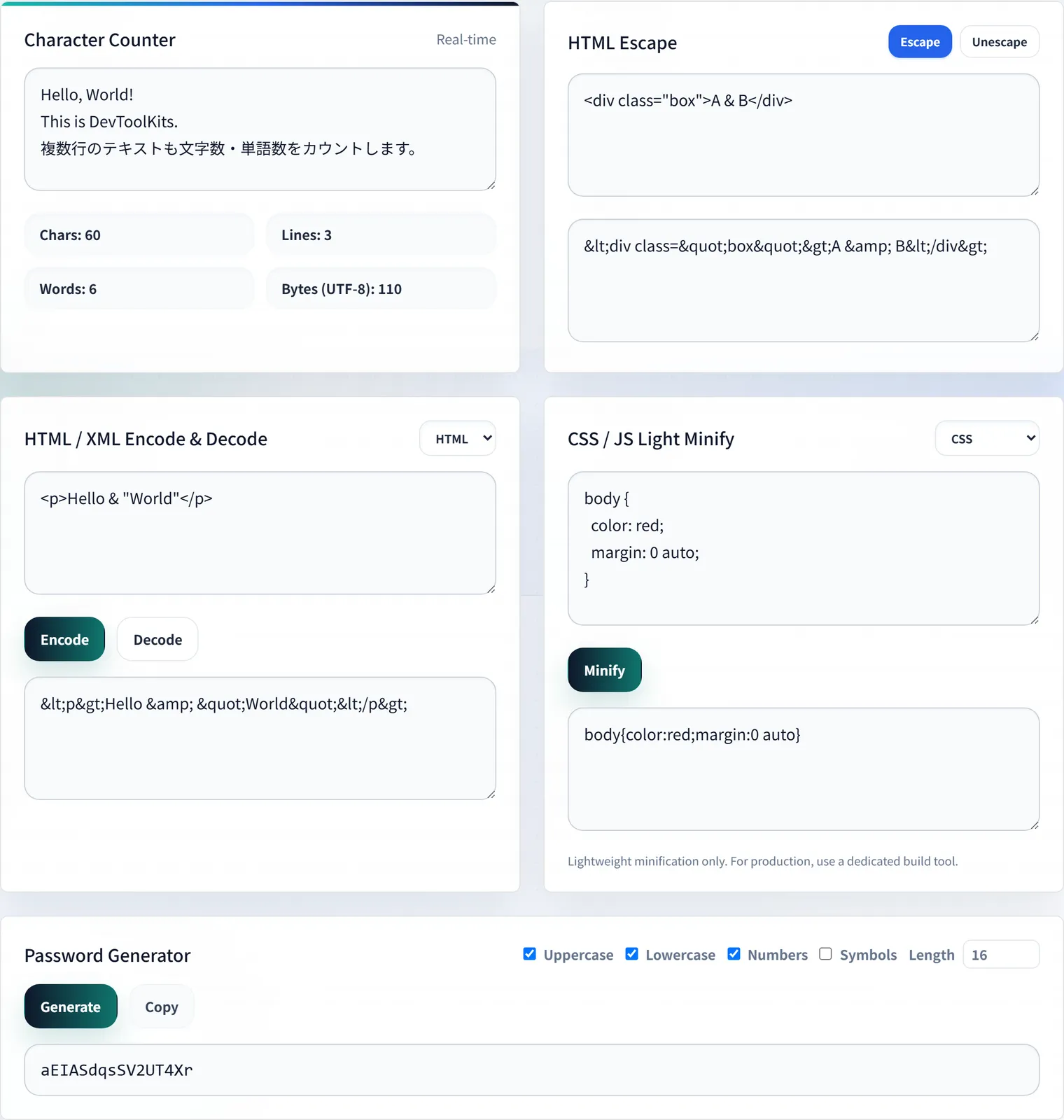
The Text Utilities and Character Counter puts these common operations in one browser-based workflow.
When character counts matter
Meta descriptions, social posts, ad copy, form inputs, and database fields often have practical length limits. Checking length before publishing helps avoid truncated text and awkward layout breaks.
For table-heavy documentation, pair this with the Markdown Table Generator. For pattern extraction and validation, use the Regular Expression Tester.
Keep an original copy
Escaping, trimming, and replacing text can be hard to reverse after multiple steps. Keep the original content nearby when editing important prose, HTML, JSON, regex patterns, or code snippets.
Example: Making a code snippet safe to display in HTML
When you want to show an HTML tag example in documentation, pasting it directly can cause the browser to interpret it as a tag.
<script>alert("test")</script>To treat it as display text, HTML-escape it before putting it in the article or description.
<script>alert("test")</script>This is useful when reviewing places that render user input, documentation samples, or HTML fragments inside Markdown. Checking the line count and the post-conversion result in the text utilities before a bulk regex replace makes it easier to notice unintended changes.
Summary
Text cleanup is not glamorous, but it keeps documentation, metadata, and code examples reliable. A single place for counts and transformations makes the workflow faster and less error-prone.
Frequently Asked Questions
Does the character count distinguish full-width and half-width characters?
The Text Utilities and Character Counter reports character and line counts. For meta description or social post limits, appearance varies with full-width/half-width characters and line breaks, so the most reliable approach is to paste the exact string you’ll use and check it.
When do I need HTML escaping?
When you render user input directly on screen, or include an HTML tag example in documentation. Converting < > & " to entities prevents the browser from interpreting them as tags, so they display as literal text. It’s also a basic defense against XSS.
Is the text I enter sent anywhere?
No. Character counting, escaping, and whitespace cleanup all run in your browser and never send your input to a server, so it’s safe even for internal documents or unpublished drafts.