
Tools mentioned in this article
Open the browser-based tool while you read and try the workflow immediately.
The challenge of complexity in GitHub Actions
GitHub Actions is powerful, but workflow YAML tends to balloon as a project grows. Figuring out “which job runs after which” by reading hundreds of lines of code takes far longer than you’d expect.
The GitHub Actions Visualizer turns a pasted workflow YAML into a Mermaid dependency graph instantly. Processing happens entirely in your browser, so sensitive workflow definitions are never sent to a server.
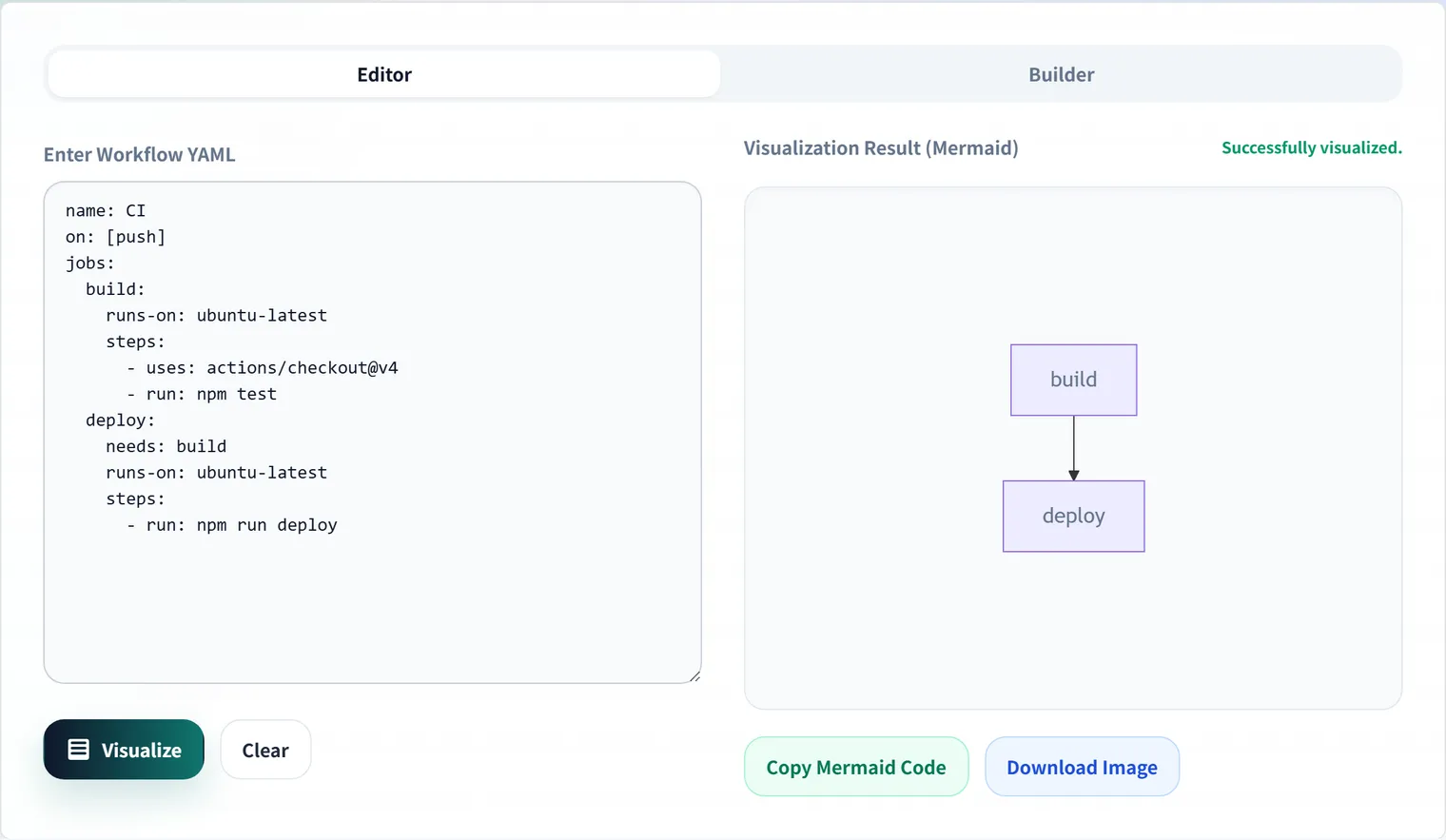
How needs becomes a graph
The visualization is built entirely from each job’s needs field. The dependencies scattered across a YAML file get walked and converted into Mermaid arrows.
jobs:
  lint:
    runs-on: ubuntu-latest
  test:
    needs: lint
  build:
    needs: lint
  deploy:
    needs: [test, build]
graph TD
lint["lint"]
test["test"]
lint --> test
build["build"]
lint --> build
deploy["deploy"]
test --> deploy
build --> deployAt a glance, lint is the bottleneck, test and build run in parallel, and deploy is where everything converges — the shape of the pipeline becomes obvious.
needs accepts either a string or an array
GitHub Actions allows needs to be written as a single string for one dependency, or an array for multiple:
needs: lint            # a single string is fine
needs: [lint, test]    # so is an array
The visualizer handles either form correctly, but knowing this quirk helps when you’re reading someone else’s YAML by hand.
Common pipeline shapes
Once visualized, most workflows turn out to be combinations of a few recurring shapes:
- Fan-out (parallel expansion):
test,lint, andsecurity-scanall running simultaneously afterbuild— the basic pattern for cutting CI time - Fan-in (convergence): multiple jobs completing before converging on
deploy, expressed withneeds: [build, test, lint] - Matrix:
strategy.matrixexpanding one job definition across multiple versions/OSes — a single node in the diagram, but multiple parallel jobs at runtime
Once you see the diagram, a “this should be parallel but got serialized” or “the deploy job’s needs is missing a quality gate” issue tends to jump out — and that’s the starting point for pipeline improvements. For concrete rewrite patterns that speed up CI, see GitHub Actions needs Design Patterns.
A concrete review example
In the configuration below, deploy depends only on test, so it may proceed even if lint fails.
jobs:
  lint:
    runs-on: ubuntu-latest
  test:
    runs-on: ubuntu-latest
  deploy:
    needs: [test]
    runs-on: ubuntu-latest
In a diagram, lint appears isolated, which makes it easy to discuss “should the quality check be a deploy prerequisite?” That feeds into design decisions — whether changing deploy’s needs to [lint, test] is enough, or whether to add a build job to share artifacts.
Circular dependencies are caught by GitHub Actions itself
If needs forms a loop (A depends on B, B depends on A), GitHub Actions can’t run the workflow at all and reports an error. Cycles are hard to spot by eye in hundreds of lines of YAML, so visualizing the dependency flow first is the practical shortcut.
FAQ
How do jobs without needs run?
Jobs with no needs start in parallel when the workflow begins. To control order, specify the dependency explicitly with needs: [job-id]. In a diagram, the boundary between independently running jobs and sequential ones is obvious at a glance.
What happens if dependencies form a cycle?
If needs forms a loop, GitHub Actions cannot run the workflow and reports an error. Cycles are hard to spot in hundreds of lines of YAML, so visualizing it as a DAG (directed acyclic graph) helps.
Is it safe to paste workflow YAML into an external tool?
Workflows may contain secret names and deployment targets. The GitHub Actions Visualizer processes everything in your browser and never sends the YAML to a server, so you can safely diagram such files.
How are matrix builds displayed?
A job expanded via strategy.matrix is defined once, so it appears as a single node in the diagram even though it runs as multiple parallel jobs at execution time. For understanding the needs dependency flow, a single node is enough — you don’t need to see every matrix combination separately.
Summary
- Visualization is just each job’s
needsconverted into Mermaid arrows — the mechanism is simple needsaccepts both string and array notation- Diagramming surfaces “unnecessary serialization,” “unintended parallelism,” and circular dependencies
- For concrete CI-speedup patterns, see the companion needs design-patterns article
When a complex job configuration throws an error, turning it into a diagram first to re-confirm the execution order is usually the fastest way in.