
Tools mentioned in this article
Open the browser-based tool while you read and try the workflow immediately.
Sometimes “infer it from a sample” isn’t enough
This site already has a JSON to Zod converter: paste an API response and it infers a Zod schema from the values.
That approach has a hard limit. A sample value cannot tell you whether a field is required. Looking at {"nickname": "alice"}, there is no way to know whether nickname is always present or just happened to be there this time. For the same reason, "[email protected]" does not tell you the field is supposed to be an email address.
JSON Schema states all of that up front.
{
  "type": "object",
  "properties": {
    "id": { "type": "integer" },
    "email": { "type": "string", "format": "email" },
    "nickname": { "type": "string" }
  },
  "required": ["id", "email"]
}
The JSON Schema ⇄ Zod converter carries that information across instead of throwing it away — and runs the conversion in the other direction too, producing JSON Schema from Zod code you already wrote. Since the components.schemas section of OpenAPI is JSON Schema, you can paste it straight in.
Here’s what actually happens during the conversion.
The big trap: required and .optional() have inverted defaults
The two specifications disagree about what silence means.
| How “required” is expressed | If you say nothing | |
|---|---|---|
| JSON Schema | List the name in the required array | Optional |
| Zod | Simply omit .optional() | Required |
JSON Schema is “optional unless declared required”; Zod is “required unless declared optional”. Get this backwards and you produce a type where every field that should be mandatory is optional.
The converter absorbs the difference. Going to Zod, only properties absent from required get .optional():
const required: string[] = Array.isArray(schema.required) ? schema.required : [];

const lines = Object.entries(properties).map(([key, value]) => {
    let field = schemaToZod(value, depth + 1, warnings);
    if (!required.includes(key)) field += '.optional()';
    return `${indent}${formatKey(key)}: ${field},`;
});
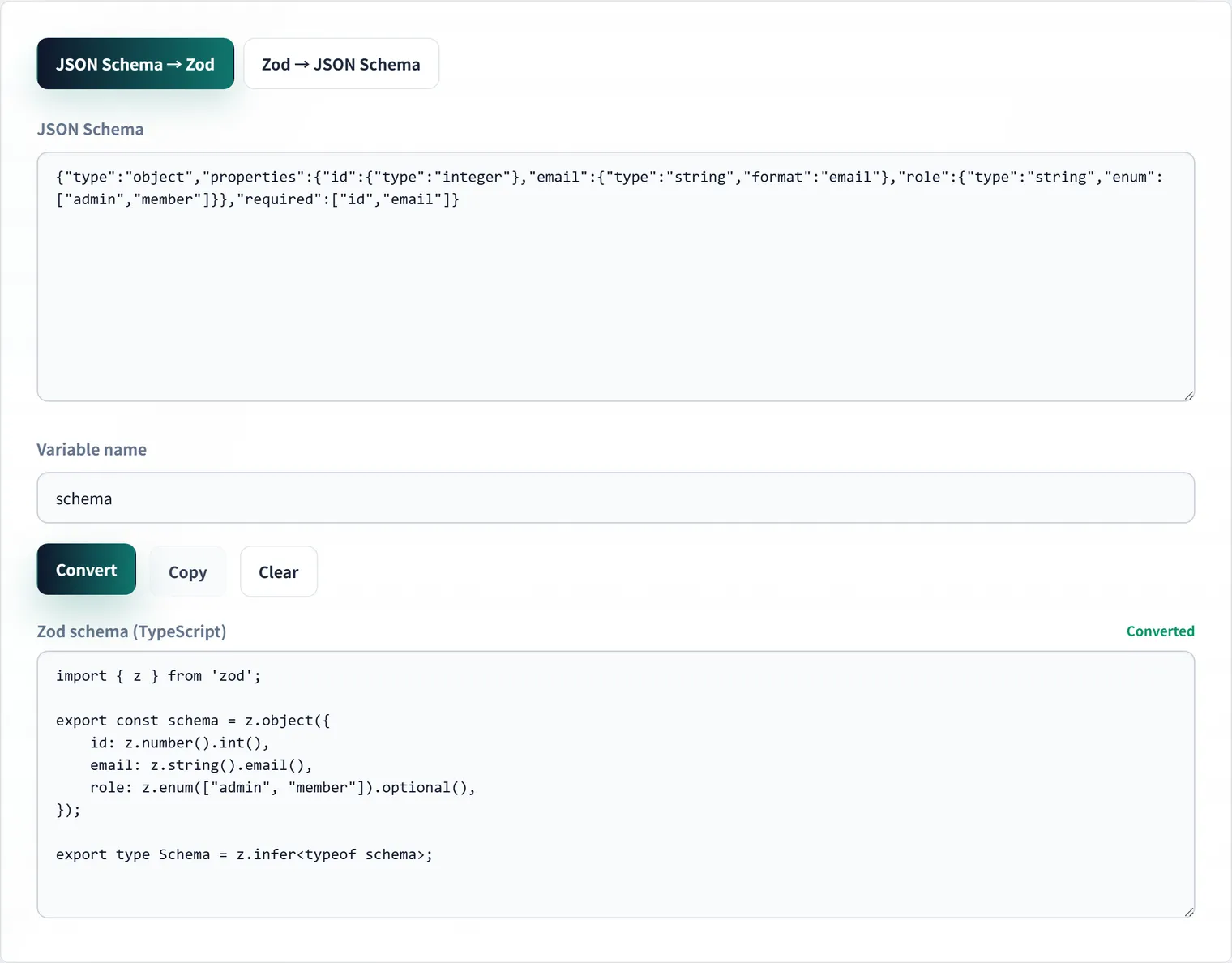
Coming back the other way, properties without .optional() are collected into the required array. The schema above converts to:
import { z } from 'zod';

export const schema = z.object({
    id: z.number().int(),
    email: z.string().email(),
    nickname: z.string().optional(),
});

export type Schema = z.infer<typeof schema>;
The z.infer alias is emitted alongside it, so validation and the static type come from the same source.
Constraint mapping
Types aren’t the only thing carried across — the finer constraints map in both directions too.
| JSON Schema | Zod |
|---|---|
"type": "integer" | z.number().int() |
"format": "email" | z.string().email() |
"format": "date-time" | z.string().datetime() |
"minLength": 3 | z.string().min(3) |
"minimum": 0 | z.number().min(0) |
"enum": ["a","b"] (all strings) | z.enum(["a", "b"]) |
"enum" (mixed types) | z.union([z.literal(...), ...]) |
"type": ["string","null"] | z.string().nullable() |
"additionalProperties": false | .strict() |
oneOf / anyOf | z.union([...]) |
enum needs a branch. Zod’s z.enum() accepts strings only, so an enum containing numbers or null cannot be passed through directly; those fall back to a union of literals:
if (Array.isArray(schema.enum)) {
    const allStrings = schema.enum.every((v) => typeof v === 'string');
    if (allStrings) return `z.enum([${schema.enum.map((v) => JSON.stringify(v)).join(', ')}])`;
    return `z.union([${schema.enum.map((v) => `z.literal(${JSON.stringify(v)})`).join(', ')}])`;
}
The Zod side is parsed, never executed
The reverse direction comes with a constraint. Libraries like zod-to-json-schema take a runtime Zod object and inspect it. Every tool on this site runs entirely in the browser, which means pasted code must never be handed to eval.
So the Zod source is parsed as text. An expression like z.string().min(1).optional() is decomposed into the call name (string), its arguments, and the method chain (min(1), optional()).
Brackets and string literals are the awkward part. Searching for the next ) breaks on nesting, and a value like z.literal('a,b') breaks naive field splitting. The bracket matcher therefore tracks whether it is inside a quote:
const findClosing = (source: string, openIndex: number): number => {
    let depth = 0;
    let quote: string | null = null;
    for (let i = openIndex; i < source.length; i += 1) {
        const char = source[i];
        if (quote) {
            if (char === '\\') i += 1;        // skip the escaped character
            else if (char === quote) quote = null;
            continue;
        }
        if (char === '"' || char === "'" || char === '`') { quote = char; continue; }
        if (char === '(' || char === '[' || char === '{') depth += 1;
        else if (char === ')' || char === ']' || char === '}') {
            depth -= 1;
            if (depth === 0) return i;
        }
    }
    return -1;
};
The same idea applies when splitting object fields: only top-level commas count as separators, so z.object({ label: z.literal('a,b') }) survives intact.
Parsing starts at the first z. so that a copy including import { z } from 'zod'; and export const user = still works — pasting straight from your editor was the priority.
What can’t be converted is never silently dropped
Some JSON Schema constructs have no clean Zod equivalent:
$ref— references are not resolved, so the position becomesz.any()allOf— an intersection cannot be expressed, so only the first subschema is convertedif/then/not— unsupported
Turning these into z.any() quietly would be the worst outcome: the conversion looks clean while validation silently passes everything through. They are reported as warnings under the output instead:
• $ref (#/$defs/User) was not expanded, so it became z.any()The same goes for arbitrary functions such as .refine(), which JSON Schema has no way to express and which are dropped in the reverse direction. Treat the output as a starting point for a migration and review it.
When to reach for it
If your project starts from an OpenAPI definition, pasting components.schemas gives you the front-end types and validation in one step. If Zod came first in your codebase, run it the other way to produce JSON Schema for your API documentation.
When all you have is a sample payload, the JSON to Zod converter is still the right tool, and JSON to OpenAPI covers building an OpenAPI schema itself. All of them run in your browser — the schema you paste is never sent anywhere.
FAQ
Should I use this or JSON to Zod?
Use this one when you already have a JSON Schema or OpenAPI definition, because required fields, enums and string formats are preserved and the generated Zod schema is therefore accurate. If all you have is a sample value such as an API response, use the JSON to Zod converter.
What should I do about schemas containing $ref?
References are not resolved, so the position becomes z.any() and a warning appears. If your schema factors shared definitions into $defs, inline them before pasting or patch that part of the generated output by hand.
Can I use the generated Zod schema in production as-is?
It works as a skeleton, but business rules that were never in the JSON Schema — permitted email domains, cross-field consistency — will not appear. Note too that pattern becomes z.string().regex(), which can behave differently if the original regular expression is not ECMAScript-compatible. Review the output before relying on it.
Is the schema I paste sent anywhere?
No. The JSON Schema ⇄ Zod converter runs entirely in your browser, and the Zod side is parsed as text rather than executed, so internal API definitions never leave your machine.