
Tools mentioned in this article
Open the browser-based tool while you read and try the workflow immediately.
What is a SQL builder?
A SQL builder lets you assemble a SELECT statement visually: you enter table names, the columns you want, filter conditions, and JOIN conditions, and the SQL is generated for you.
Instead of recalling syntax from scratch every time, you organize the conditions in a form — which suits both SQL beginners who are still learning and day-to-day data extraction work.
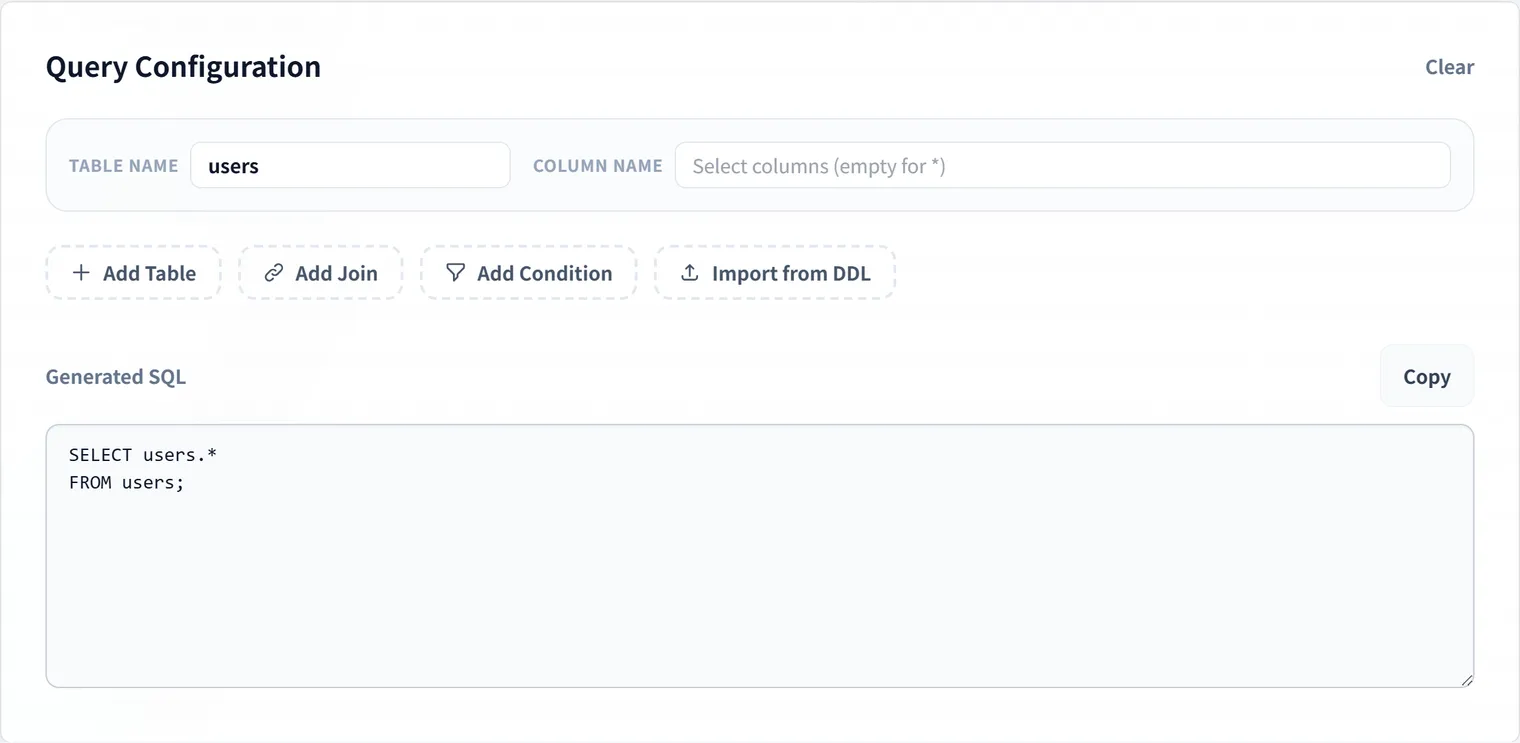
It is particularly handy when you want to:
- Double-check basic
SELECT,WHERE, andORDER BYsyntax - Build queries that use
INNER JOINandLEFT JOIN - Work out join conditions between tables while writing the SQL
- Produce a draft query as a starting point for review or investigation
- Draft SQL entirely in your browser
The DevToolKits Visual SQL Builder runs in the browser.
Table names and conditions are never sent to a server — the SQL is generated locally.
Building a query step by step
Start by breaking down what you want: which table, under which conditions, in what order.
Doing this decomposition before writing any SQL reduces mistakes.
- Pick the main table.
- Add the columns you want to retrieve.
- Specify
WHEREconditions as needed. - Add a
JOINif another table is required. - Set ordering and row limits.
- Review the generated SQL, and tidy it with the SQL Formatter if needed.
For example, to check the number of orders per user, join the users and orders tables:
SELECT
  users.id,
  users.name,
  COUNT(orders.id) AS order_count
FROM users
LEFT JOIN orders ON users.id = orders.user_id
WHERE users.deleted_at IS NULL
GROUP BY users.id, users.name
ORDER BY order_count DESC;
Queries like this are easy to get wrong when you are new to SQL — a forgotten join condition or GROUP BY column is typical.
Organizing each part in the builder keeps “which tables am I joining?” and “what am I filtering on?” visible at all times.
How value quoting is decided automatically
WHERE values are entered as plain text, but pasting them into SQL unmodified would turn a numeric condition like age > 20 into age > '20' with an unwanted quote. The builder inspects each value and quotes it only when it looks like a string.
let val = w.value;
if (
    w.operator !== 'IS NULL' &&
    isNaN(Number(val)) &&        // not convertible to a number -> treat as a string
    !val.startsWith("'")          // already quoted -> don't wrap it again
) {
    val = `'${val}'`;
}
isNaN(Number(val)) decides whether a value is numeric, and !val.startsWith("'") avoids double-quoting a value the user already wrapped in quotes themselves (e.g. typing 'active' directly). Values are skipped entirely when the operator is IS NULL, since there’s no value to quote.
How to think about JOINs
When unsure which JOIN to use, first decide which rows you want to keep.
INNER JOIN returns only rows that match in both tables — right for “only users who have orders”.
LEFT JOIN keeps every row of the left table and attaches the right table where it matches — right for “all users, including those with no orders”.
The common cases:
| What you want | JOIN type |
|---|---|
| Only users that have orders | INNER JOIN |
| All users, including those without orders | LEFT JOIN |
| Attach lookup/master data | LEFT JOIN |
| Restrict to rows with related data | INNER JOIN |
With the builder you can flip the JOIN type and watch the generated SQL change — which also makes it a good learning aid for comparing behavior. For the full picture — RIGHT JOIN, FULL JOIN, self joins, and the classic “LEFT JOIN turns into an INNER JOIN” pitfall — see SQL JOIN Types: Complete Reference.
Joining more than two tables
Adding more tables just means adding more JOINs in the builder. Under the hood, the generator is a simple loop that appends one line per join:
let sql = `SELECT ${selectParts.join(', ')}\nFROM ${mainTable}`;
state.joins.forEach((j) => {
    if (j.leftTable && j.rightTable) {
        sql += `\n${j.type} ${j.rightTable} ON ${j.leftTable}.${j.leftCol} = ${j.rightTable}.${j.rightCol}`;
    }
});
Each join you add appends one more line, so it stays easy to trace — both in the form and in the generated SQL — which tables are connected to which.
Checklist before running generated SQL
Before executing a generated query, confirm:
- Table and column names match the actual database
- No join condition is missing
WHEREconditions are neither too strict nor too loose- For aggregations, the
GROUP BYgranularity is correct ORDER BY/LIMITare present where needed- The query won’t be too heavy against production data
A SQL builder produces a draft. The final check should include your database’s dialect, indexes, and execution plan.
Why it works well for learning SQL
SQL is learned faster by understanding what each clause is responsible for than by memorizing syntax.
SELECT picks columns, FROM names the table, WHERE filters, JOIN combines tables, ORDER BY sorts.
Operating the form and watching the output makes those correspondences visible naturally.
Once comfortable, try hand-editing the generated queries. Formatting the result with the SQL Formatter gives you readable samples worth keeping.
One caveat worth learning early: the order you write clauses in is not the order the database evaluates them — which is why WHERE cannot see an alias defined in SELECT. The SQL clause order reference maps out both orders.
FAQ
Can complex SQL be completed with the builder alone?
It is well suited to drafting basic SELECT, WHERE and JOIN statements.
Database-specific functions, complex subqueries, and performance tuning still need manual review after generation.
Is it suitable for SQL beginners?
Yes. Because you can watch the SQL take shape as you fill in each field, it works as a learning tool — especially for comparing JOIN types and condition expressions.
How does the builder decide whether to quote a value?
It checks whether the value converts to a number with Number(). If it doesn’t, a single quote is added automatically; values already wrapped in quotes aren’t quoted twice. When you select IS NULL, the value itself isn’t used at all.
Are my table names and conditions sent to a server?
No. The DevToolKits SQL Builder runs in your browser and generates SQL locally, without transmitting your input.
Summary
A SQL builder turns SQL from “something you memorize and type” into “something you assemble from organized conditions”.
When SELECT or JOIN syntax slows you down, draft the skeleton in the Visual SQL Builder, then format, review, and run.