
Tools mentioned in this article
Open the browser-based tool while you read and try the workflow immediately.
Long URLs are hard to review as plain text
Campaign links and API requests often contain many parameters: utm_source, utm_medium, page, sort, filter, and more. Once the URL gets long, it becomes easy to miss typos, duplicated keys, or unexpected tracking values.
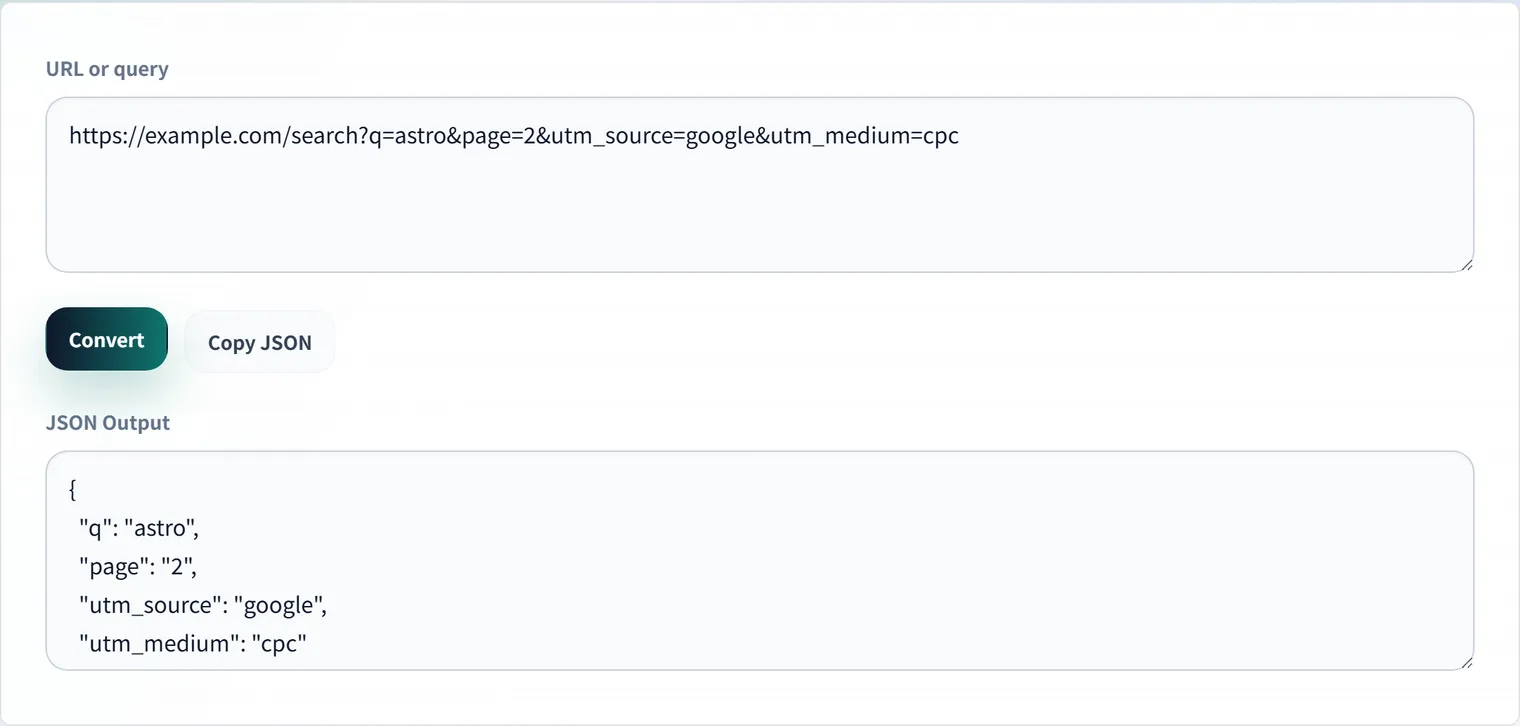
The URL Parameters to JSON Converter turns a URL or query string into a readable JSON object so each key and value can be reviewed clearly.
UTM Checks Before Publishing
UTM parameters affect how traffic is grouped in analytics tools. If utm_source or utm_campaign has inconsistent casing or spelling, results may split into separate campaigns. Before sharing a link, convert it to JSON and confirm the values match your naming convention.
API Request Debugging
For GET endpoints, query parameters often represent filters, pagination, sorting, and feature flags. Converting them to JSON makes the request easier to paste into docs and issues, so your team can reproduce the same conditions.
Consider reviewing a URL like this:
https://example.com/search?q=jwt&page=2&sort=updated&tag=security&tag=apiAs JSON, it’s easy to see whether page is passed as a string, whether tag is specified multiple times, and whether any empty values slipped in. You can also catch a mismatch where the API expects tag=security,api but the front end sends tag=security&tag=api.
If values are percent-encoded, the URL Encoder and Decoder helps you confirm what the text means.
Writing It Up in an Issue
For bug reports, pasting the decomposed JSON alongside the expected values reproduces the problem faster than the full URL alone.
{
  "q": "jwt",
  "page": "2",
  "sort": "updated",
  "tag": ["security", "api"]
}
In this form, you can review the search term, pagination, sort order, and filter conditions separately. It reduces the burden of reading a long URL and lets reviewers focus on just the differences.
Summary
URL parameters can change measurement and API behavior with a small typo. Rather than staring at a long URL, simply decomposing it into JSON improves the accuracy of your review.
Frequently Asked Questions
How are URLs with duplicate keys handled?
When the same key appears multiple times, like tag=security&tag=api, converting to JSON shows it as an array. This makes it easy to catch a mismatch where the API expects a comma-separated tag=security,api but receives multiple parameters instead. Confirm which format the spec expects.
What should I watch for with UTM parameters?
utm_source, utm_medium, and utm_campaign values become your analytics results directly. Inconsistent casing or spelling (e.g. Twitter vs. twitter) gets counted as separate campaigns. Convert to JSON before publishing to confirm the values follow your naming convention.
The values are encoded like %20 and I can’t read them.
URL parameter values are percent-encoded when they contain reserved characters. %20 is a space and %2F is a slash. Decode them with the URL Encoder and Decoder to confirm the original text.