
Tools mentioned in this article
Open the browser-based tool while you read and try the workflow immediately.
What Is a Regular Expression?
A regular expression (regex or regexp) is a sequence of characters that defines a search pattern. It is used to find, match, extract, or replace text that fits a specific structure. Regex is available in virtually every programming language — JavaScript, Python, Java, Ruby, Go, Rust — and in command-line tools like grep and sed.
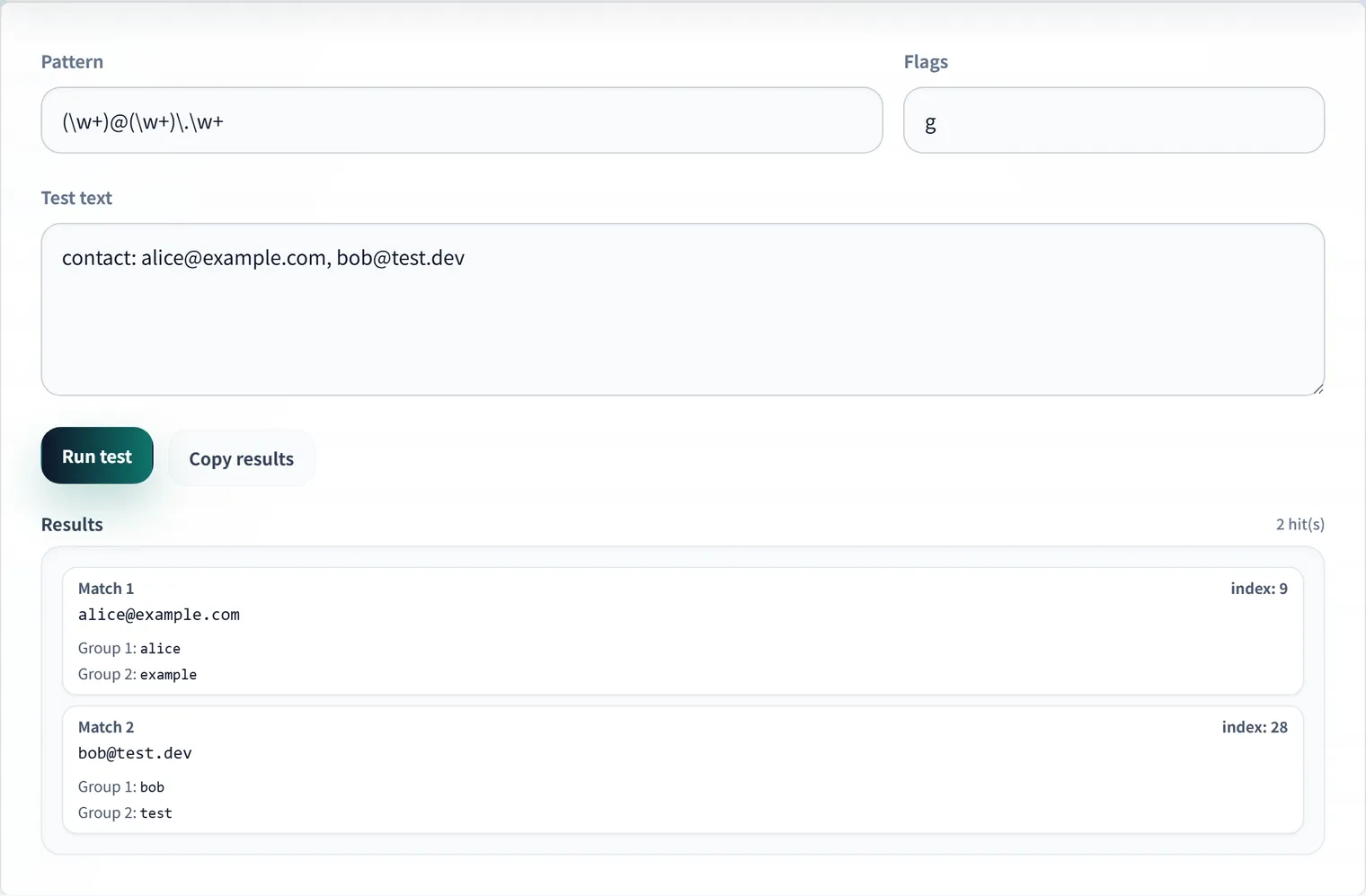
A regex can answer questions like:
- Does this string contain a valid email address?
- Extract all URLs from this HTML document.
- Replace all ISO date strings with a different format.
- Validate that this phone number follows a specific pattern.
The syntax looks cryptic at first, but it follows consistent rules. Once you internalize the building blocks, you can read and write regex confidently.
Metacharacters: The Building Blocks
Metacharacters are characters with special meaning inside a regex pattern.
Matching Characters
| Symbol | Meaning | Example | Matches |
|---|---|---|---|
. | Any character except newline | a.c | ”abc”, “aXc”, “a1c” |
\d | Any digit (0–9) | \d\d | ”42”, “00”, “99” |
\D | Any non-digit | \D+ | ”abc”, “foo” |
\w | Word char: [a-zA-Z0-9_] | \w+ | ”hello”, “user_1” |
\W | Non-word character | \W | ” ”, ”!”, ”.” |
\s | Whitespace (space, tab, newline) | a\sb | ”a b”, “a\tb” |
\S | Non-whitespace | \S+ | ”hello”, “123” |
Anchors
| Symbol | Meaning |
|---|---|
^ | Start of line/string |
$ | End of line/string |
\b | Word boundary |
\B | Non-word boundary |
/^hello/.test('hello world')  // true  — starts with "hello"
/^hello/.test('say hello')    // false — "hello" is not at the start
/world$/.test('hello world')  // true  — ends with "world"
/\bcat\b/.test('cat')         // true
/\bcat\b/.test('catch')       // false — "cat" is not at a word boundary
Quantifiers
| Symbol | Meaning | Greedy? |
|---|---|---|
* | 0 or more | Yes |
+ | 1 or more | Yes |
? | 0 or 1 | Yes |
{n} | Exactly n times | — |
{n,} | n or more times | Yes |
{n,m} | Between n and m times | Yes |
*? +? ?? | Non-greedy versions | No |
Greedy vs. Non-greedy:
const html = '<b>bold</b> and <i>italic</i>';

// Greedy — matches as much as possible
html.match(/<.+>/)[0]   // '<b>bold</b> and <i>italic</i>'

// Non-greedy — matches as little as possible
html.match(/<.+?>/)[0]  // '<b>'
Character Classes
A character class [...] matches any single character from the set.
[aeiou]       — any vowel
[a-z]         — any lowercase letter
[A-Z0-9]      — any uppercase letter or digit
[^aeiou]      — any character that is NOT a vowel (negation)
[a-z&&[^aei]] — intersection (Java syntax): lowercase consonants
The caret ^ inside a character class negates it. Outside [...], it anchors to the start of the string.
Groups and Captures
Capturing Groups (...)
Parentheses create a capturing group. The matched text is stored and can be retrieved later.
const date = '2026-01-14';
const match = date.match(/(\d{4})-(\d{2})-(\d{2})/);
console.log(match[1]); // '2026' — year
console.log(match[2]); // '01'   — month
console.log(match[3]); // '14'   — day
Named Capturing Groups (?<name>...)
Names make captures self-documenting:
const match = '2026-01-14'.match(/(?<year>\d{4})-(?<month>\d{2})-(?<day>\d{2})/);
console.log(match.groups.year);  // '2026'
console.log(match.groups.month); // '01'
Non-Capturing Groups (?:...)
When you need grouping for alternation or quantifiers but do not need to capture the result:
// Match 'color' or 'colour', but don't need to capture 'ou?'
/colo(?:u?)r/  // matches both 'color' and 'colour'
Alternation |
The pipe | acts as OR between alternatives:
/cat|dog/.test('I have a cat') // true
/cat|dog/.test('I have a dog') // true
/(jpg|jpeg|png|gif)$/.test('photo.jpeg') // true
Lookaheads and Lookbehinds
Lookarounds let you match a pattern only if it is (or is not) preceded or followed by another pattern, without including the lookaround text in the match.
| Syntax | Name | Meaning |
|---|---|---|
(?=...) | Positive lookahead | Followed by… |
(?!...) | Negative lookahead | NOT followed by… |
(?<=...) | Positive lookbehind | Preceded by… |
(?<!...) | Negative lookbehind | NOT preceded by… |
// Positive lookahead: match "100" only if followed by " USD"
'100 USD'.match(/\d+(?= USD)/)[0]    // '100'
'100 EUR'.match(/\d+(?= USD)/)       // null

// Negative lookahead: match "file" not followed by ".bak"
'file.txt'.match(/file(?!\.bak)/)[0] // 'file'
'file.bak'.match(/file(?!\.bak)/)    // null

// Positive lookbehind: match digits preceded by "$"
'Price: $42'.match(/(?<=\$)\d+/)[0]  // '42'
Practical Patterns
Email Address (Simplified)
^[a-zA-Z0-9._%+\-]+@[a-zA-Z0-9.\-]+\.[a-zA-Z]{2,}$Note: A fully RFC 5321-compliant email regex is extremely complex. For most form validation purposes, a simplified pattern like the one above is sufficient. Always confirm email validity by sending a confirmation email, not just by regex matching.
URL (http/https)
^https?:\/\/(www\.)?[-a-zA-Z0-9@:%._\+~#=]{1,256}\.[a-zA-Z0-9()]{1,6}\b([-a-zA-Z0-9()@:%_\+.~#?&\/=]*)$ISO 8601 Date (YYYY-MM-DD)
^\d{4}-(0[1-9]|1[0-2])-(0[1-9]|[12]\d|3[01])$IPv4 Address
^((25[0-5]|2[0-4]\d|[01]?\d\d?)\.){3}(25[0-5]|2[0-4]\d|[01]?\d\d?)$Hex Color Code
^#([0-9a-fA-F]{3}){1,2}$Flags (Modifiers)
Flags change how the pattern is interpreted.
| Flag | Meaning |
|---|---|
g | Global — find all matches, not just the first |
i | Case-insensitive |
m | Multiline — ^ and $ match start/end of each line |
s | Dotall — . also matches newlines |
u | Unicode — treat pattern and string as Unicode |
'Hello WORLD'.match(/hello/i)[0] // 'Hello' — case-insensitive
'a\nb\nc'.match(/^\w/gm)         // ['a', 'b', 'c'] — multiline
ReDoS: Catastrophic Backtracking
ReDoS (Regular Expression Denial of Service) is a vulnerability that occurs when a maliciously crafted input causes a regex to run exponentially longer than expected.
The classic vulnerable pattern is nested quantifiers:
^(a+)+$ — matching "aaaaaaaaaaaaaaab" causes catastrophic backtrackingThe regex engine tries all possible ways to group the as before concluding there is no match. For a string of length n, this can take O(2ⁿ) time.
Why This Matters
If your application accepts user input and passes it to a regex — or worse, lets users provide their own regex patterns — a malicious user can hang your server or consume excessive CPU with a single carefully crafted string.
How to Prevent ReDoS
- Avoid nested quantifiers: Never write
(a+)+,(a*)*,(a+|b+)+, etc. - Use atomic groups or possessive quantifiers where your regex engine supports them.
- Set timeouts when executing regexes against untrusted input.
- Test with long inputs: Try patterns against strings of length 20, 30, 50 with no match expected.
- Use static analysis tools: Libraries like
safe-regex(npm) orvulturecan detect dangerous patterns.
// Vulnerable
/^(a+)+$/.test('aaaaaaaaaaaaaaab'); // may hang

// Safe alternative — no nested quantifiers
/^a+$/.test('aaaaaaaaaaaaaaab');    // fast
Language Differences
While regex syntax is broadly similar across languages, there are notable differences:
| Feature | JavaScript | Python | Go | Java |
|---|---|---|---|---|
| Named groups | (?<name>...) | (?P<name>...) | (?P<name>...) | (?<name>...) |
| Lookbehind | Supported (ES2018+) | Supported | Not supported | Supported |
\d matches unicode digits | Depends on u flag | Depends on re.UNICODE | ASCII only | Depends on flag |
| Multiline default | No | No | No | No |
FAQ
What is the difference between match and exec in JavaScript?
String.prototype.match() returns an array of results. With the g flag, it returns all matches. Without g, it behaves like RegExp.prototype.exec(), which also returns capture groups. exec() is useful in loops when using the g flag because it remembers the last match position via lastIndex.
How do I escape special characters in regex?
Special characters ., *, +, ?, (, ), [, ], {, }, ^, $, |, \ must be escaped with a backslash to be matched literally.
// Escape a period to match a literal dot, not "any character"
/\./.test('a.b') // true
/\./.test('axb') // false
A utility function to escape arbitrary strings:
function escapeRegex(str) {
  return str.replace(/[.*+?^${}()|[\]\\]/g, '\\$&');
}
Is regex the right tool for parsing HTML or JSON?
Generally no. HTML and JSON have recursive structures that regex cannot properly handle. Use a dedicated parser instead: DOMParser for HTML, JSON.parse() for JSON. Regex is appropriate for extracting simple patterns within already-parsed text fields.
What does the y (sticky) flag do in JavaScript?
The y flag makes the regex only match starting from the position indicated by lastIndex. Unlike g, it does not advance through the string looking for matches — it either matches at the current position or fails.