
Tools mentioned in this article
Open the browser-based tool while you read and try the workflow immediately.
What Is Unix Time?
Unix time (also called POSIX time, Epoch time, or just “a timestamp”) is the number of seconds that have elapsed since January 1, 1970, 00:00:00 UTC, not counting leap seconds.
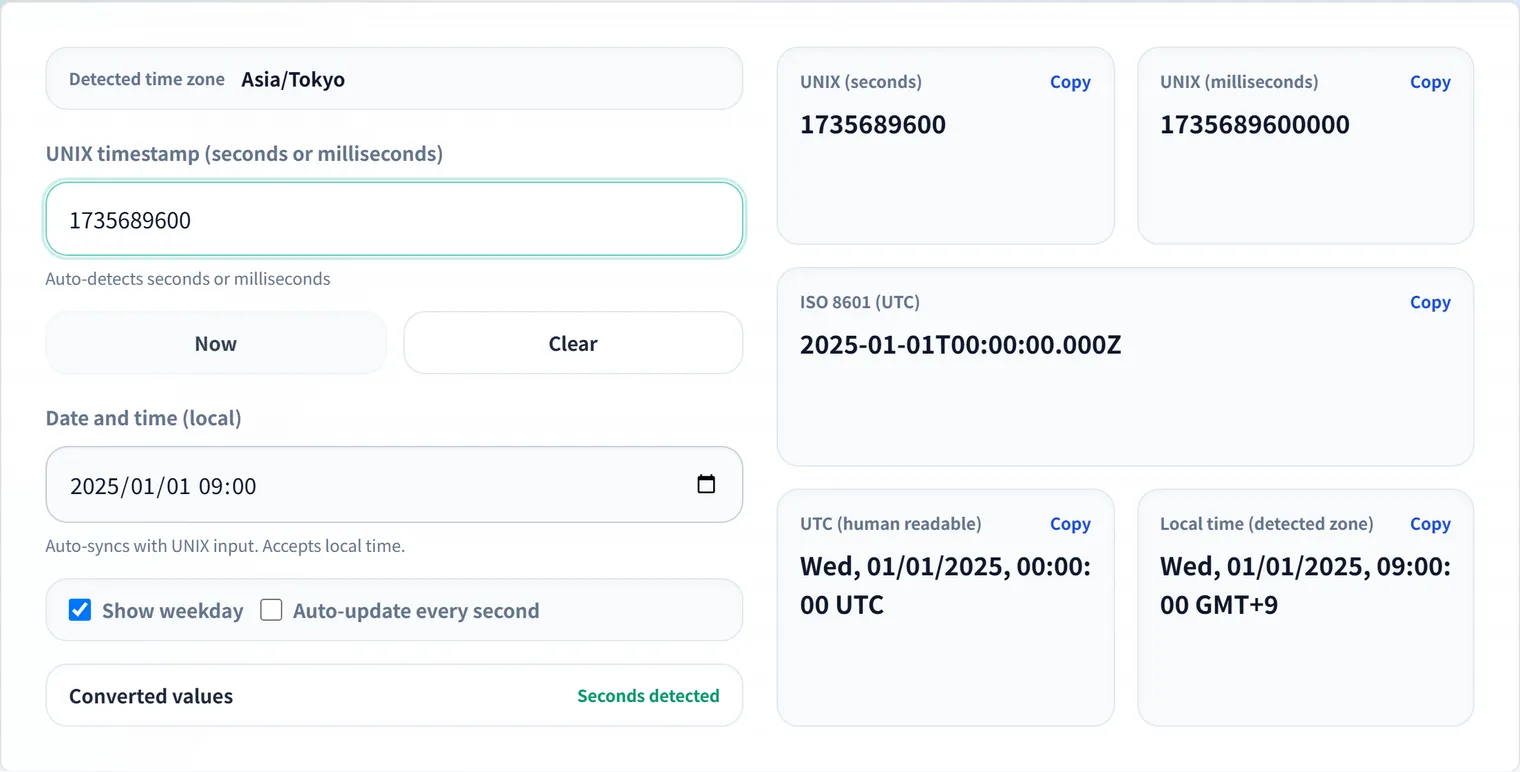
1736823600 → January 14, 2026, 09:00:00 UTCWhy January 1, 1970? That is when the Unix operating system was being developed, and the designers needed a fixed reference point. The choice was somewhat arbitrary, but it has since become the universal standard across virtually every operating system and programming language.
Why Computers Use Unix Time
Unix time solves a surprisingly hard problem: how do systems in different timezones agree on what time it is?
“9:00 AM in Tokyo” and “12:00 AM in London” happen at the same instant but are represented differently in local time. Unix time cuts through this by expressing time as a single integer measured in UTC. Databases, logs, and APIs can store and exchange this integer without any timezone ambiguity. Conversion to local time happens at the presentation layer, not in storage.
Seconds vs. Milliseconds: The Most Common Trap
This is the mistake that causes the most debugging frustration.
| Language / Context | Unit | Digit count | Example |
|---|---|---|---|
Unix standard, PHP time(), Python time.time() | Seconds | 10 | 1736823600 |
JavaScript Date.now(), Java System.currentTimeMillis() | Milliseconds | 13 | 1736823600000 |
| Some logging systems | Microseconds | 16 | 1736823600000000 |
| Some high-precision systems | Nanoseconds | 19 | 1736823600000000000 |
The symptom: You feed a millisecond timestamp into a function that expects seconds, and a date in 1970 appears. Or vice versa — you pass seconds to a millisecond-based function and get a date decades in the future.
The fix: Count the digits. 10 digits → seconds. 13 digits → milliseconds.
function detectUnit(ts) {
  const digits = String(Math.abs(ts)).length;
  if (digits <= 10) return 'seconds';
  if (digits <= 13) return 'milliseconds';
  if (digits <= 16) return 'microseconds';
  return 'nanoseconds';
}
Working with Unix Time in Common Languages
JavaScript / TypeScript
// Current time
const nowMs = Date.now();           // milliseconds
const nowSec = Math.floor(nowMs / 1000); // seconds

// From Unix seconds to Date object
const ts = 1736823600;
const date = new Date(ts * 1000);   // must multiply by 1000
console.log(date.toISOString());    // "2026-01-14T09:00:00.000Z"

// From Date to Unix seconds
const unixSec = Math.floor(new Date('2026-01-14T09:00:00Z').getTime() / 1000);
console.log(unixSec);               // 1736823600

// Formatting with Intl.DateTimeFormat (timezone-aware)
const formatter = new Intl.DateTimeFormat('ja-JP', {
  timeZone: 'Asia/Tokyo',
  dateStyle: 'full',
  timeStyle: 'long',
});
console.log(formatter.format(date)); // "2026年1月14日水曜日 18:00:00 JST"
Python
import time
from datetime import datetime, timezone, timedelta

# Current time
now_sec = time.time()         # float, seconds since epoch
now_int = int(time.time())    # integer seconds

# From Unix seconds to datetime (UTC)
ts = 1736823600
dt_utc = datetime.fromtimestamp(ts, tz=timezone.utc)
print(dt_utc.isoformat())     # 2026-01-14T09:00:00+00:00

# Convert to JST (UTC+9)
jst = timezone(timedelta(hours=9))
dt_jst = dt_utc.astimezone(jst)
print(dt_jst.isoformat())     # 2026-01-14T18:00:00+09:00

# From datetime to Unix seconds
ts_back = int(dt_utc.timestamp())
Go
import (
    "fmt"
    "time"
)

// Current Unix time
now := time.Now().Unix()          // int64, seconds
nowMs := time.Now().UnixMilli()   // int64, milliseconds

// From Unix seconds to time.Time
ts := int64(1736823600)
t := time.Unix(ts, 0).UTC()
fmt.Println(t.Format(time.RFC3339)) // 2026-01-14T09:00:00Z

// Convert to JST
jst, _ := time.LoadLocation("Asia/Tokyo")
fmt.Println(t.In(jst).Format(time.RFC3339)) // 2026-01-14T18:00:00+09:00
SQL
-- PostgreSQL
SELECT to_timestamp(1736823600);                 -- 2026-01-14 09:00:00+00
SELECT EXTRACT(EPOCH FROM now())::bigint;        -- current Unix seconds

-- MySQL
SELECT FROM_UNIXTIME(1736823600);               -- 2026-01-14 09:00:00
SELECT UNIX_TIMESTAMP(NOW());                    -- current Unix seconds

-- SQLite
SELECT datetime(1736823600, 'unixepoch');        -- 2026-01-14 09:00:00
SELECT strftime('%s', 'now');                    -- current Unix seconds (string)
Timezone Handling
UTC is the Only Safe Storage Format
Never store local time in a database without its timezone offset. A value like "2026-01-14 09:00:00" is ambiguous — was that 9 AM in Tokyo (00:00 UTC) or 9 AM in New York (14:00 UTC)?
Rule: Store as Unix seconds (or TIMESTAMP WITH TIME ZONE in PostgreSQL, which normalizes to UTC internally) and convert to local time only when displaying to the user. For the UTC↔JST case specifically — the offset cheat sheet and the conditions under which JavaScript silently shifts a date — see the UTC to JST reference.
The Daylight Saving Time Trap
Daylight saving time (DST) means that a specific local time can be ambiguous (when clocks fall back, the same local time occurs twice) or nonexistent (when clocks spring forward, one hour is skipped). UTC has no DST — another reason to store in UTC and convert at display time.
// This looks correct but is fragile — DST can shift the result by one hour
const local = new Date('2026-03-08 02:30:00'); // During US DST change
// Instead, always work in UTC:
const utc = new Date('2026-03-08T07:30:00Z');
Common Timezone Offsets
| Region | Standard offset | DST offset |
|---|---|---|
| UTC | +00:00 | — |
| JST (Japan) | +09:00 | No DST |
| KST (Korea) | +09:00 | No DST |
| CST (China) | +08:00 | No DST |
| EST (US East) | −05:00 | −04:00 (EDT) |
| PST (US West) | −08:00 | −07:00 (PDT) |
| CET (Central Europe) | +01:00 | +02:00 (CEST) |
Japan, Korea, and China do not observe daylight saving time, which simplifies time handling significantly for systems operating in East Asia.
The Year 2038 Problem
Unix time is commonly stored as a 32-bit signed integer. The maximum value of a signed 32-bit integer is 2,147,483,647, which corresponds to:
January 19, 2038, 03:14:07 UTCAfter that moment, a 32-bit signed counter overflows and wraps to the minimum negative value, causing dates to appear as December 13, 1901. This is called the Y2K38 or Unix Millennium Bug.
Who is affected?
- Embedded systems (industrial controllers, firmware)
- Legacy C code using
time_tasint32_t - Some 32-bit Linux systems
- Old database schemas storing timestamps as
INT(11)
The fix: Use 64-bit integers for timestamp storage. A 64-bit signed integer can represent time until approximately the year 292 billion — effectively forever.
Modern languages and databases already use 64-bit time by default: Python’s datetime, Go’s time.Time, JavaScript’s Date (which uses a 64-bit float internally), and PostgreSQL’s TIMESTAMP type are all Y2038-safe. The risk is in legacy C code and certain embedded environments.
Quick Conversion Reference
| What you have | What you want | Formula |
|---|---|---|
| Unix seconds | Milliseconds | ts * 1000 |
| Milliseconds | Unix seconds | Math.floor(ts / 1000) |
| Unix seconds | ISO 8601 string | new Date(ts * 1000).toISOString() |
| ISO 8601 string | Unix seconds | Math.floor(new Date(str).getTime() / 1000) |
| Unix seconds | Formatted local time | Use Intl.DateTimeFormat with timeZone |
FAQ
Why does new Date(1736823600) show a date in 1970?
You passed seconds where milliseconds were expected. JavaScript’s Date constructor always expects milliseconds. Multiply by 1000: new Date(1736823600 * 1000).
What is the difference between UTC and GMT?
For practical purposes in software development, UTC and GMT are the same. GMT (Greenwich Mean Time) is a historical timezone, while UTC (Coordinated Universal Time) is the modern international standard. UTC is maintained by atomic clocks and adjusted with leap seconds. Use “UTC” in code and documentation.
Should I use Date.now() or new Date().getTime()?
Date.now() is preferred — it is slightly faster (no object creation) and more expressive. Both return milliseconds since the Unix epoch.
How do I handle “relative time” displays (“3 minutes ago”)?
Calculate the difference in seconds between now and the event timestamp, then use thresholds:
function timeAgo(unixSeconds) {
  const diff = Math.floor(Date.now() / 1000) - unixSeconds;
  if (diff < 60) return 'just now';
  if (diff < 3600) return `${Math.floor(diff / 60)} minutes ago`;
  if (diff < 86400) return `${Math.floor(diff / 3600)} hours ago`;
  return `${Math.floor(diff / 86400)} days ago`;
}
Is Unix time affected by leap seconds?
Technically no — Unix time does not count leap seconds. This means Unix time is not strictly continuous: at a positive leap second, the same second value repeats. In practice, operating systems handle this via “leap second smearing” (spreading the adjustment over hours), so most application code never needs to worry about it.