
Tools mentioned in this article
Open the browser-based tool while you read and try the workflow immediately.
Claude Code, Cursor, GitHub Copilot, Windsurf, Gemini CLI — the more AI coding tools you adopt, the thornier the question becomes: which file do the project rules go in? The AI Rules Generator fills in that answer: one form, and it generates rules files for six major tools at once, entirely in your browser.
The “every tool has its own rules file” problem
Each AI coding tool reads project conventions from its own location:
| Tool | File it reads |
|---|---|
| OpenAI Codex / Google Jules and others | AGENTS.md |
| Claude Code | CLAUDE.md |
| Cursor | .cursor/rules/*.mdc |
| GitHub Copilot | .github/copilot-instructions.md |
| Windsurf | .windsurfrules |
| Gemini CLI | GEMINI.md |
When team members use different tools, the same rules get copy-pasted across multiple files. A few weeks later comes the classic incident: “CLAUDE.md got updated, but the Cursor rules are still the old version.”
Making AGENTS.md the single source of truth
The practical answer is to derive every tool-specific file from one canonical source.
AGENTS.md is the natural choice for that canonical file: an open standard for describing your project to AI coding agents — a “README for agents” — with adoption spreading across tools like OpenAI Codex and Google Jules.
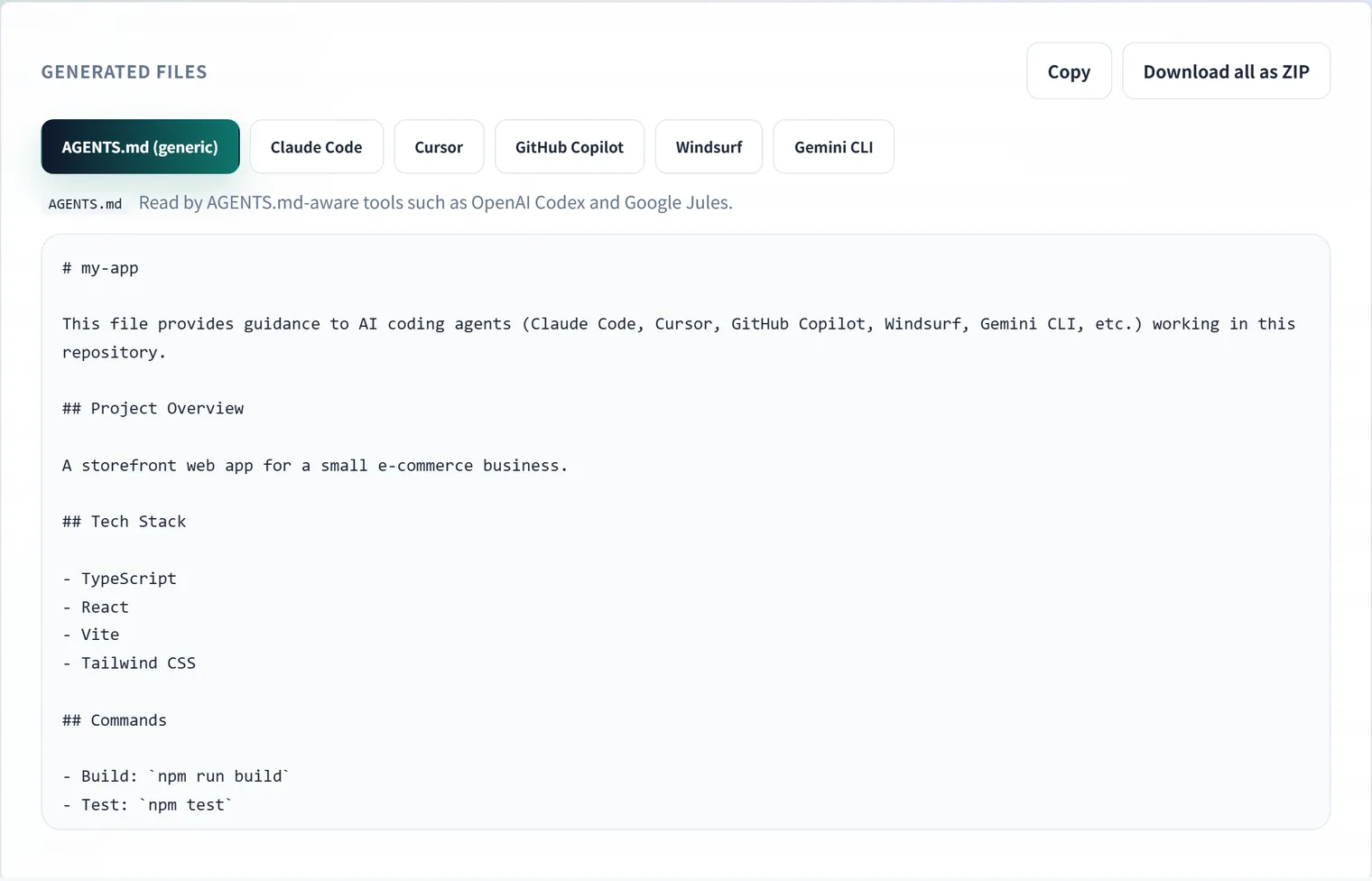
This tool follows exactly that design. Your form input builds the AGENTS.md first, and the other five files are derived from it. CLAUDE.md, copilot-instructions.md, .windsurfrules and GEMINI.md share the body verbatim; only Cursor’s .mdc gets an MDC frontmatter block (description plus alwaysApply: true) prepended. Because the content always matches across all files, copy-paste drift is structurally impossible.
How to use it
- Open the AI Rules Generator and fill in the form:
- Project name & overview — the first context the AI reads
- Tech stack — comma- or newline-separated (e.g.
TypeScript, React, Vite) - Commands — dev server, build, test and lint commands
- Coding conventions / do-nots — one item per line
- Directory structure & notes — optional (empty sections are omitted from the output automatically)
- Choose the output language (English / Japanese) and click generate.
- Six files appear in tabs. Copy them individually, or use the ZIP download — the archive includes the
.cursor/rules/and.github/directory structure, so extracting it at the repository root puts everything in place.
Generation runs entirely in browser JavaScript; your project details are never sent to a server.
What belongs in a rules file
The content with the biggest impact on agent output quality is the knowledge that’s hard to read out of the code:
- Verification commands — how to run tests, lint and build. This lets the agent verify its own changes
- Project-specific conventions — “function components only”, “all date handling via dayjs” — the house style of the codebase
- Do-nots — “never use
any”, “never edit generated files”, “never commit.env” — explicit statements of what you don’t want
Conversely, information the agent can read from the code (file listings, function descriptions) doesn’t need spelling out. Overlong rules bury the instructions that matter, so start with those three categories, kept concise.
Operating tips
- Treat the output as a scaffold — review it as a team and adjust to reality
- Merge, don’t overwrite, existing files — if you already maintain a CLAUDE.md, diff before integrating
- No secrets — rules files get committed. Keep API keys and internal URLs out
- Update through the tool — when rules change, regenerate; the six files stay in sync
FAQ
Why generate several files with identical content?
Because each agent looks for a different filename. Claude Code reads CLAUDE.md, Cursor reads .cursor/rules/, GitHub Copilot reads .github/copilot-instructions.md, Windsurf reads .windsurfrules, and Gemini CLI reads GEMINI.md. The content can be the same, so this tool treats AGENTS.md as the single source of truth and derives the rest from it.
Why does the Cursor file have extra lines at the top?
Cursor’s .mdc format expects frontmatter. The generated block contains three fields: description (what the rule is), globs (which file patterns it applies to), and alwaysApply: true. If you want the rule to apply only to certain directories, add patterns to globs after generating. Left empty, it applies everywhere.
Do I have to regenerate every file when the rules change?
Yes — but you should not be editing six files by hand. The arrangement that holds up best is to treat AGENTS.md as the only authoritative copy and regenerate the rest with this tool whenever it changes. Editing the derived files directly is how you end up unsure which one is current.
Should the output be in English or Japanese?
Agents understand both, so the practical rule is to match the language of the rest of your repository. If your comments and README are in English, use English. Identifiers you write into the rules — command names, directory paths — carry over unchanged either way.
Is what I type sent anywhere?
No. The AI coding rules generator runs entirely in your browser, so an unreleased project structure or an internal convention you enter is never transmitted.
Summary
- Each AI coding tool reads a different rules file, so manual maintenance drifts
- Deriving everything from AGENTS.md keeps rules identical across tools
- Write down what code can’t express: verification commands, house conventions, do-nots
If you’re running more than one AI tool, start by generating a complete, consistent set with the AI Rules Generator. For a deeper dive into the file formats and what to write, see our guide to AI coding agent rules files.